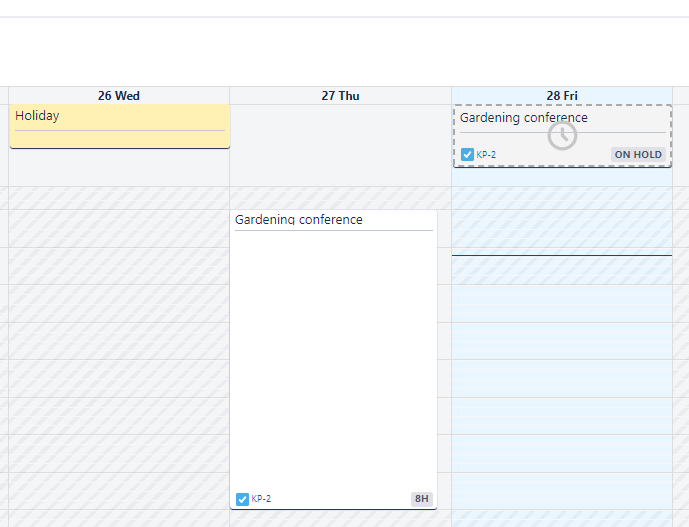
Strict Timers Mode: Timers Aligned with Working Hours and Time Off
Decide how you want your timers to calculate time spent on tasks. Now, you’ll have two options. The new timer mode has been introduced to consider users' working hours and holiday schedules, so that you don’t have to worry about it. In cases where the timer starts and stops on different days, the timer keeps recording, but doesn’t start calculating the time until the next working day starts. During this time the timer’s status displays as On Hold.
Learn more about the new timer mode!
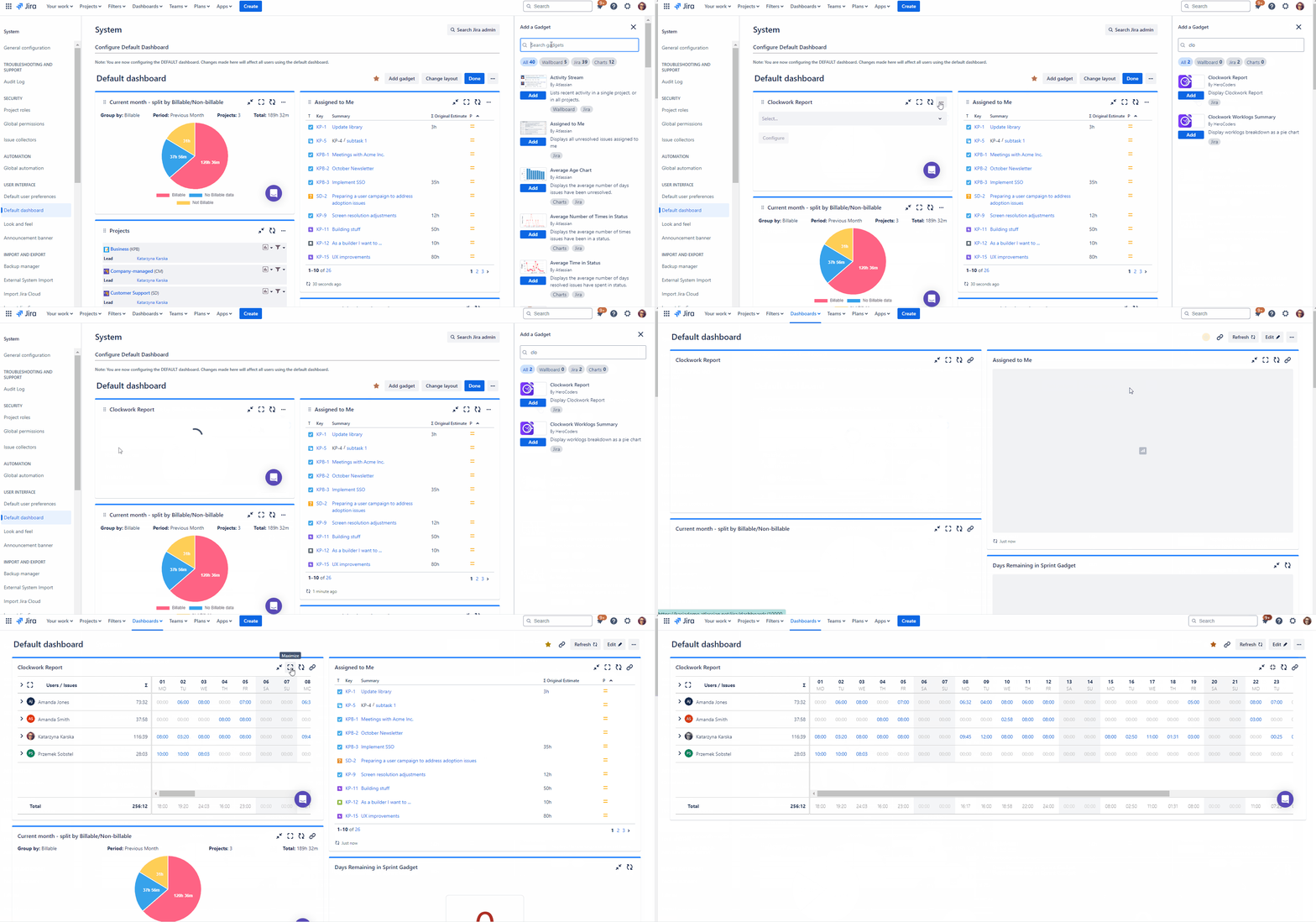
Add Clockwork Reports to your Jira Dashboard 📊
Add any of your Clockwork reports to your Jira Dashboard to see the data at a glance!
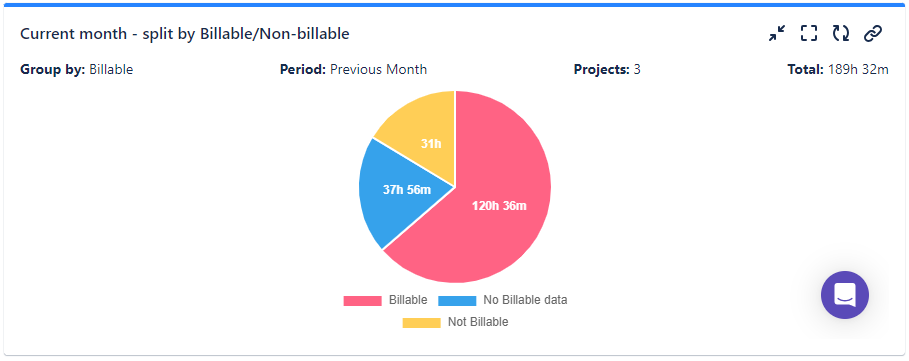
Improvements to Worklogs Summary Dashboard Gadget
Group data by worklog attributes and custom fields, such as billable/non-billable or work type. You can now filter the gadget to show only data for certain projects.
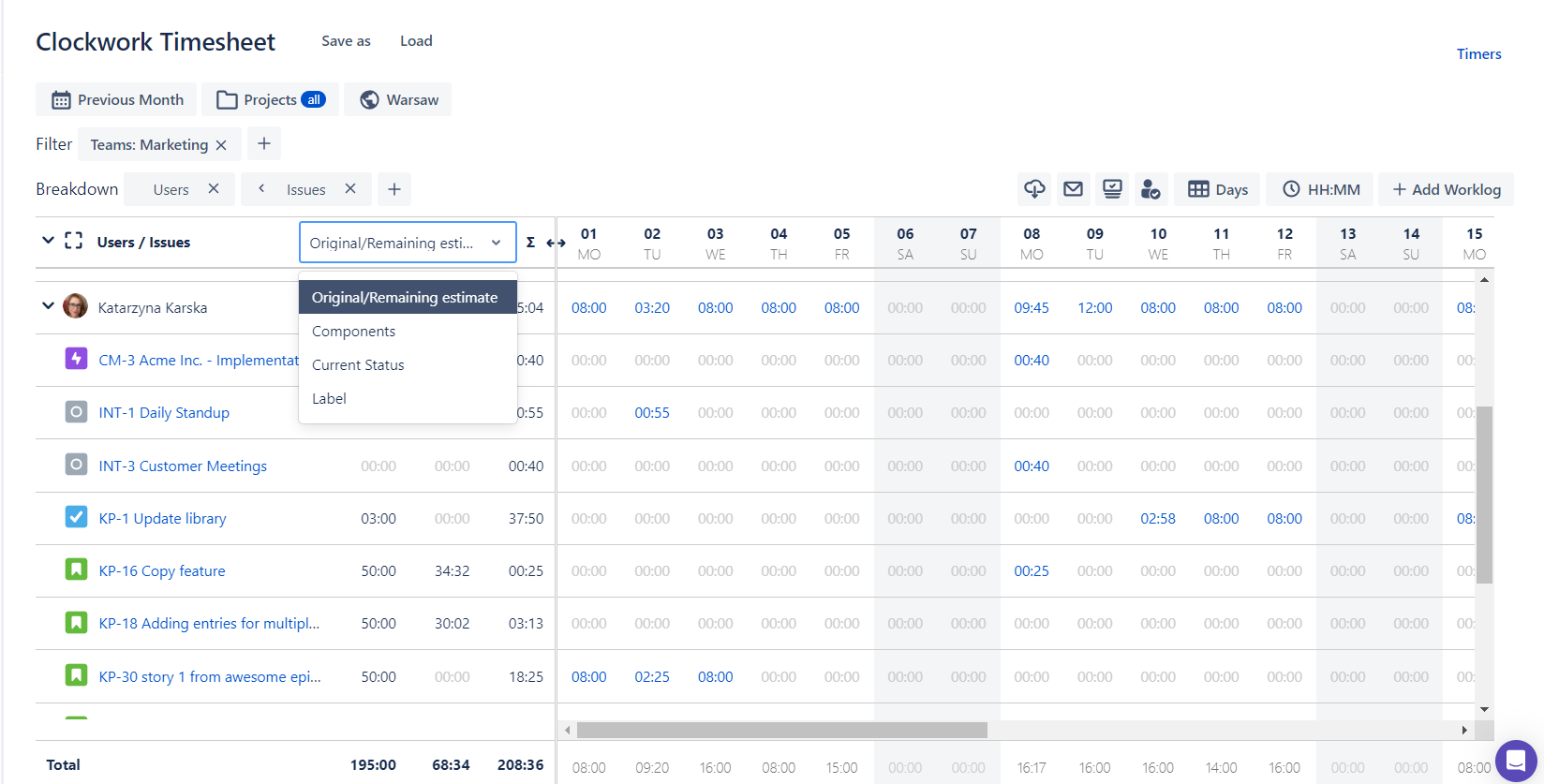
Add Fields as Columns to your Timesheets
Add Original and Remaining Estimates, Components, Current Status or Label as a column instead of a breakdown.
New Clockwork Timesheet Permission
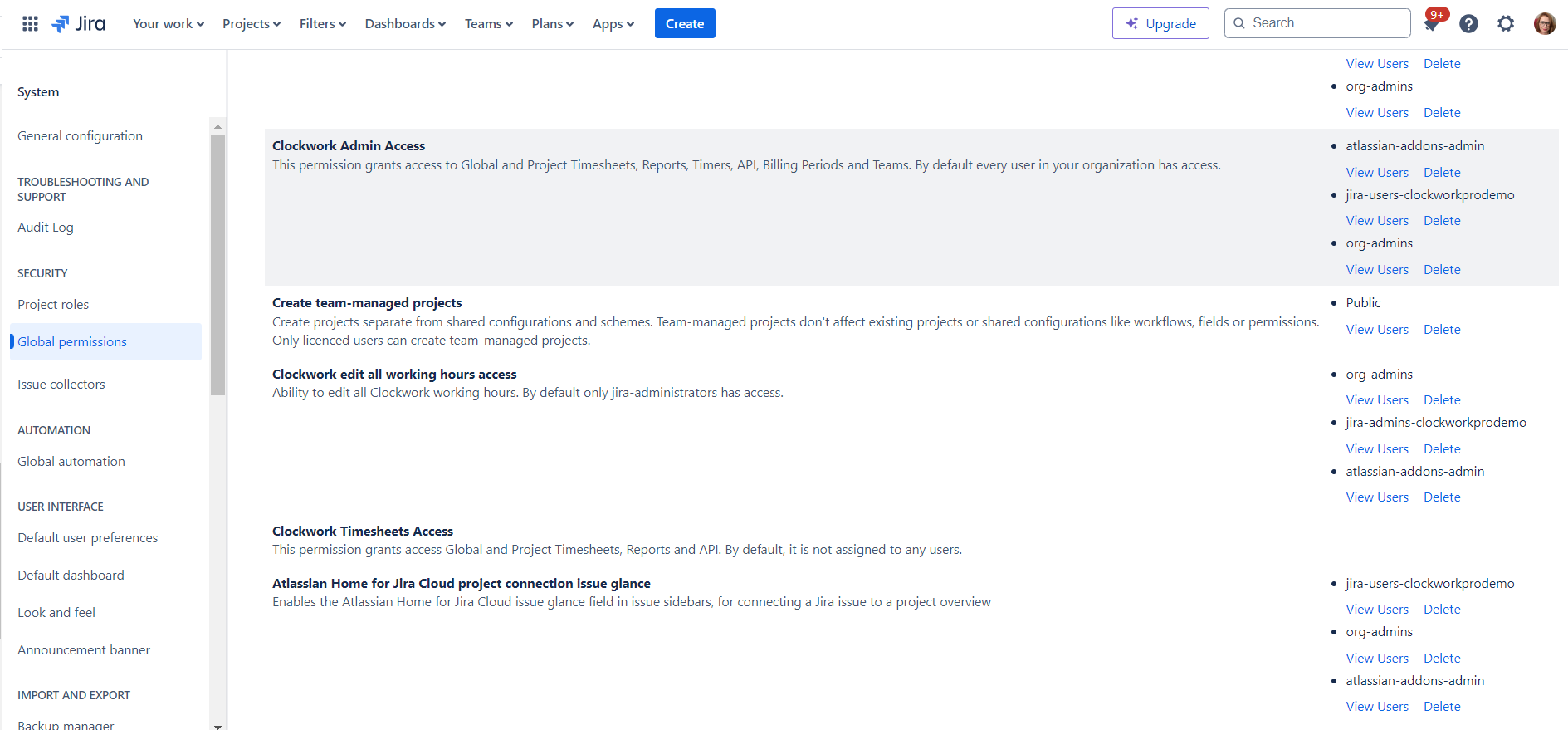
The previous Timesheet permission has been renamed to Clockwork Admin to reflect the variety of accesses it provides:
-
Global and Project Timesheets,
-
Reports,
-
Timers,
-
API,
-
Billing Periods
-
Teams
We have now introduced a new Clockwork Timesheet permission that only gives access to Global and Project Timesheets, Reports, and API so you can better manage access to Clockwork features within your organization.
Clockwork Visibility Settings
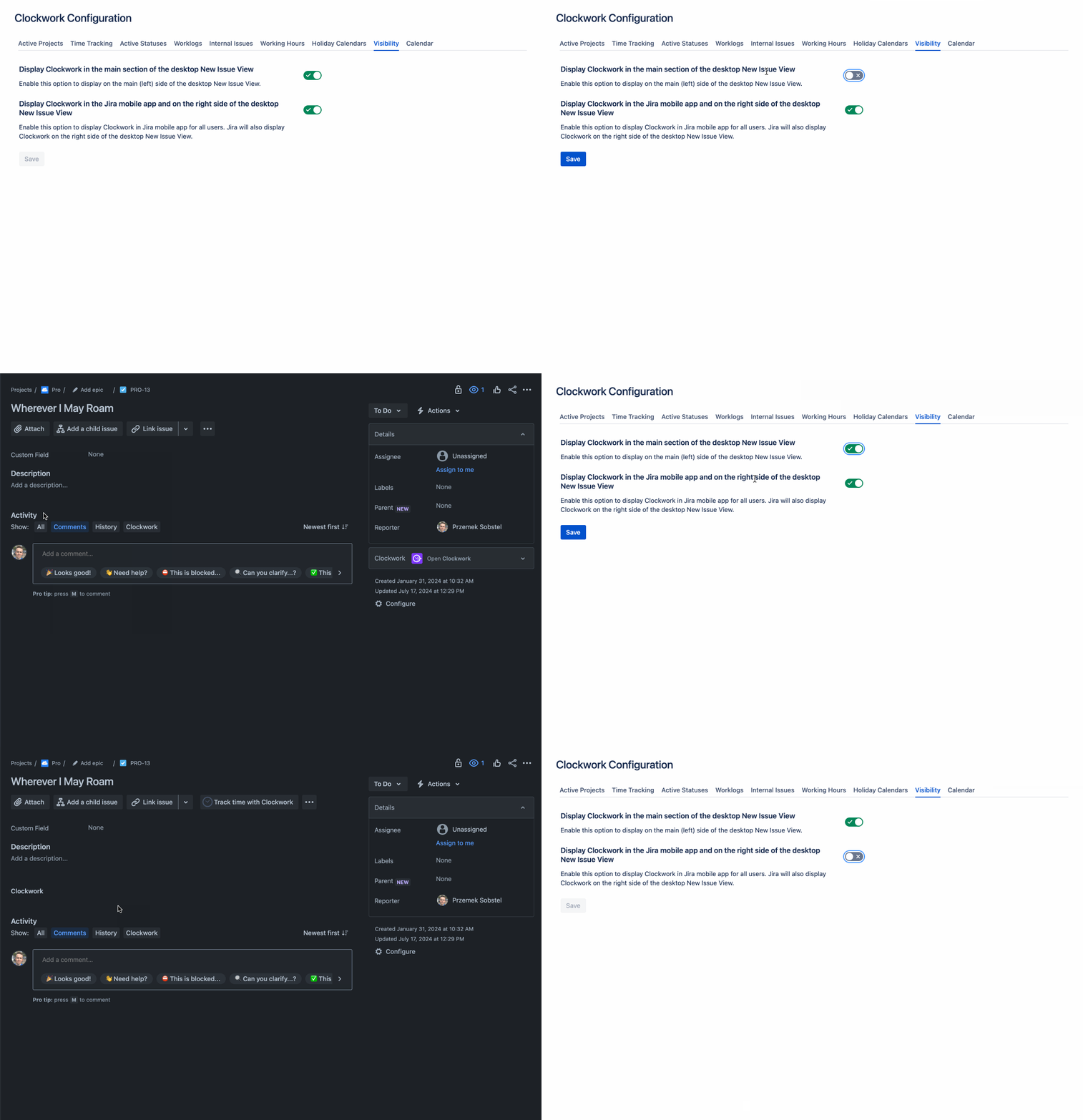
You can now decide whether you want the Clockwork Item view to appear in the main Item view or the right-hand pane only.
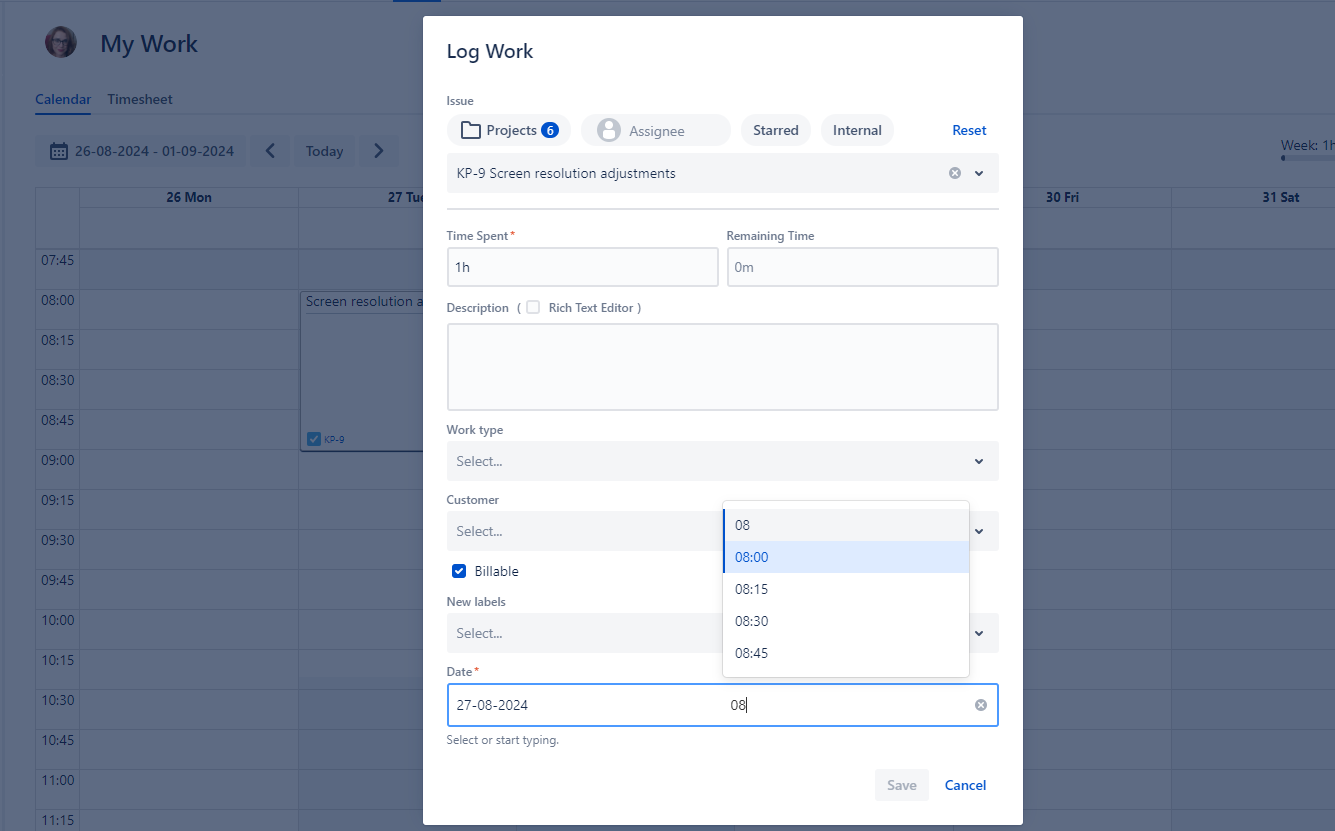
Improved Start Time Editing
The start time editing has been improved with smaller increments to select from. To edit the start time, just select it or start typing.