This feature is only available in Clockwork Pro.
This feature requires Clockwork Timesheets Access permission in Global Permissions.
Use Approvals when you need a sign-off step before time is treated as final - e.g. for client invoicing, payroll, or audit trails. If you only need to lock past time without an explicit review step, see Billing Periods instead.
Approvals let your organization formalize a time-review workflow:
-
Admins define approval periods (date ranges, e.g. weekly or monthly).
-
Team members submit their logged time for a period to a reviewer.
-
Reviewers approve the submitted time or request an update (with an explanation).
-
While a period is Submitted or Approved, worklogs inside it are locked for the submitter so they cannot edit time that is under review or already approved.
How to get started with Approvals in Clockwork Pro
-
Approvals must first be enabled in Clockwork Configuration → Time approval by a Jira admin.
-
There, you can define if timesheets can be approved by a selected user or if the approver should always be the team manager.
-
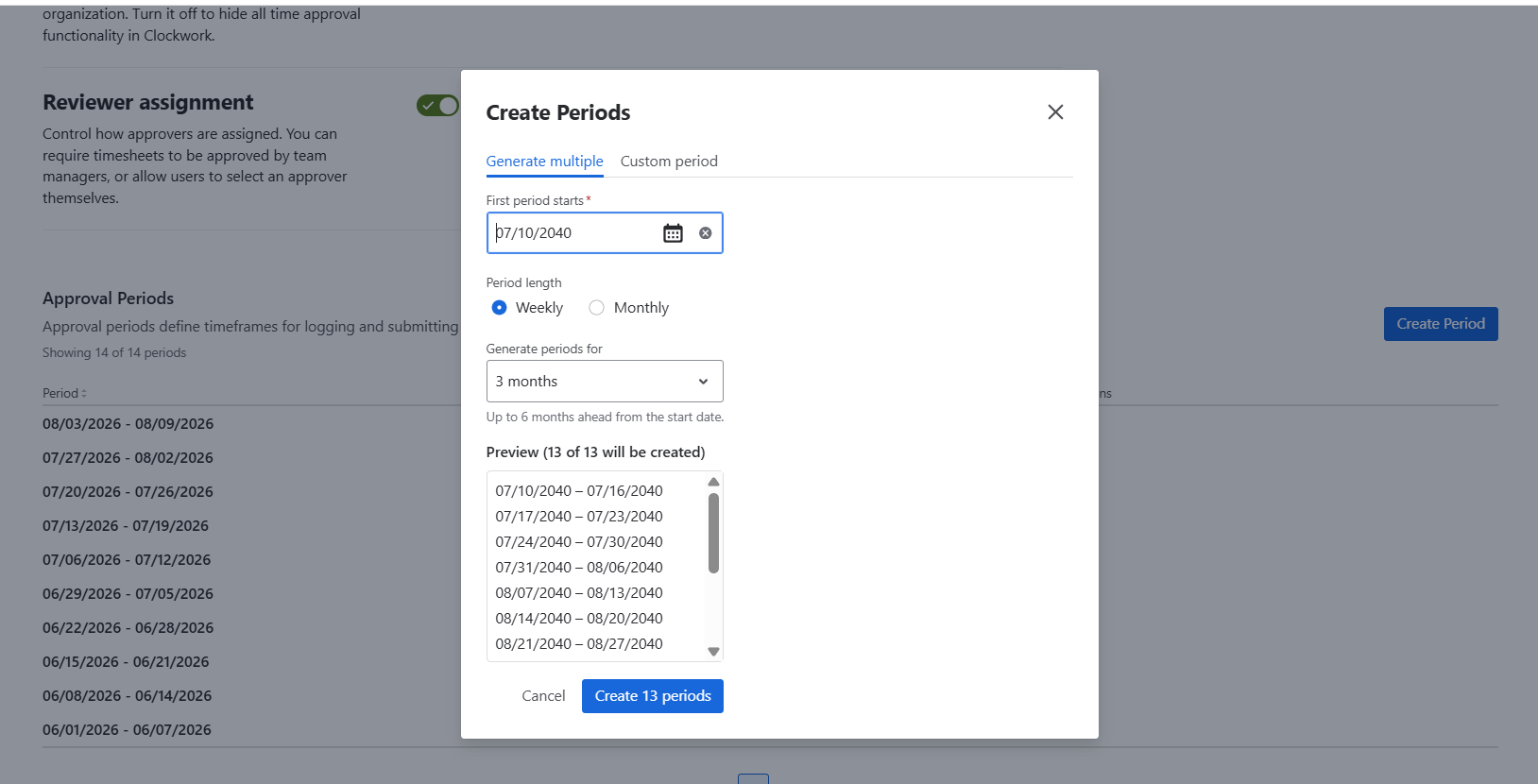
There, you also define the approval periods - you can generate multiple approval periods at once.
-
The submission flow is per user and per period - each team member submits their own time.
-
Locking is enforced inside Clockwork; any 3rd-party actor calling Jira REST API directly, or the Jira mobile app, can bypass the lock - the same caveat as Billing Periods.
-
Future periods cannot be submitted.
Submit your timesheet
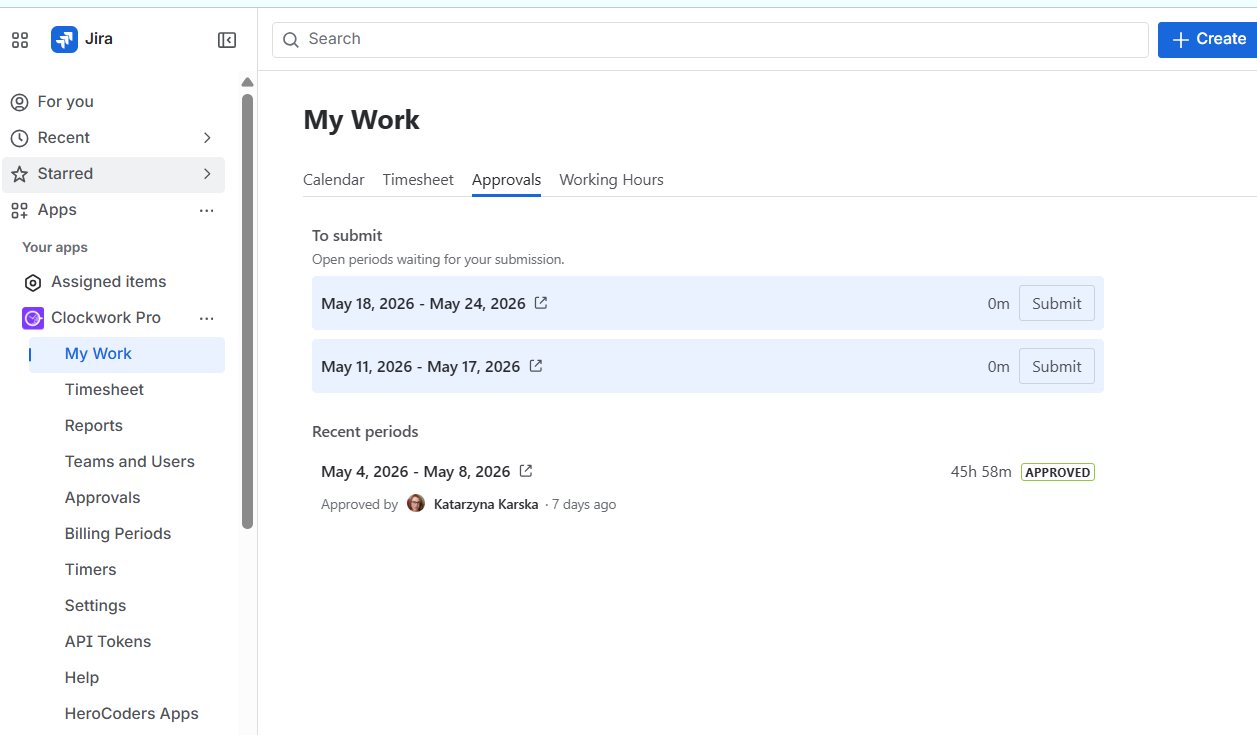
Open Apps → Clockwork → My Work and select the Approvals tab.
There you’ll find your past timesheets that require submission or revoke.
Approve your team’s timesheets
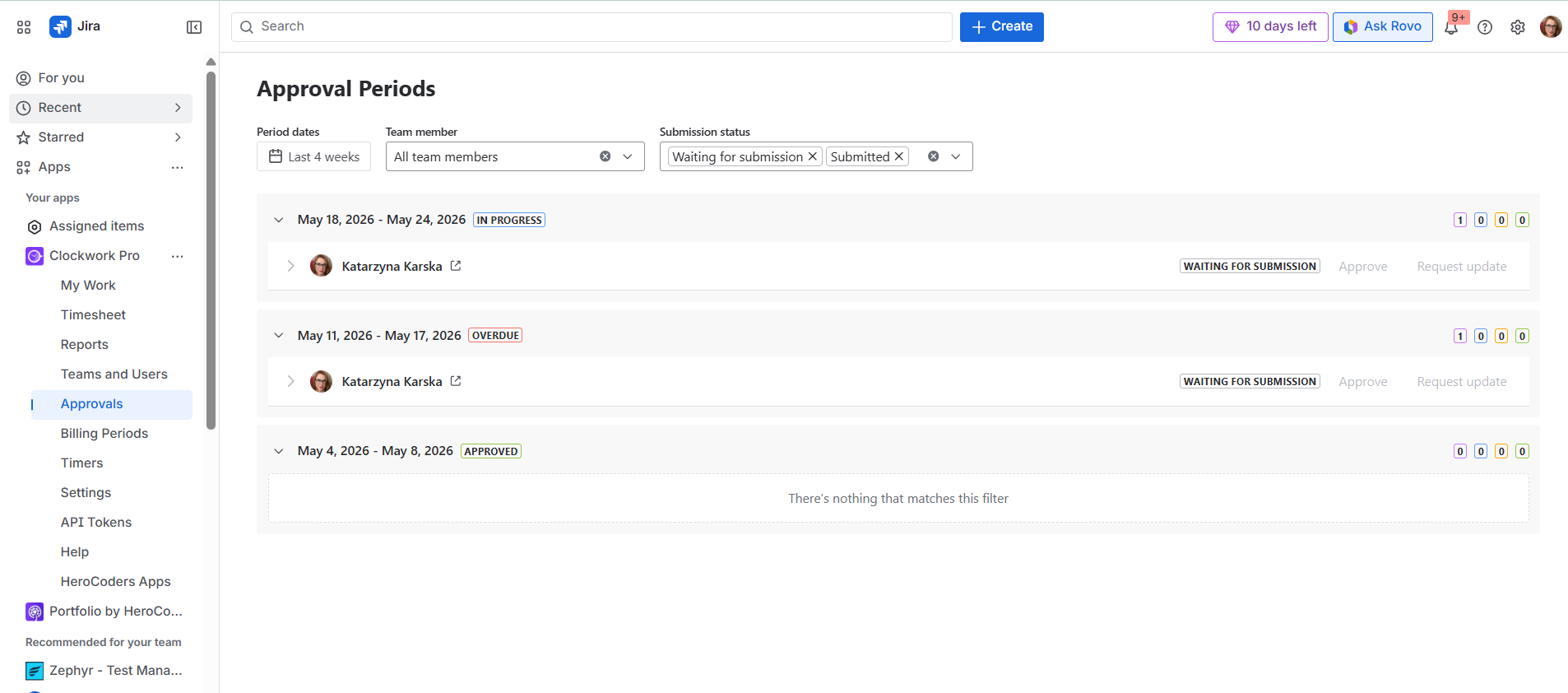
Open Apps → Clockwork → Approvals. By default, you’ll see timesheets that are in ‘Waiting for submission’ and ‘Submitted’ statuses from the last 4 weeks. You can adjust the filters at the top to see other timesheets.