
Manage worklogs at scale
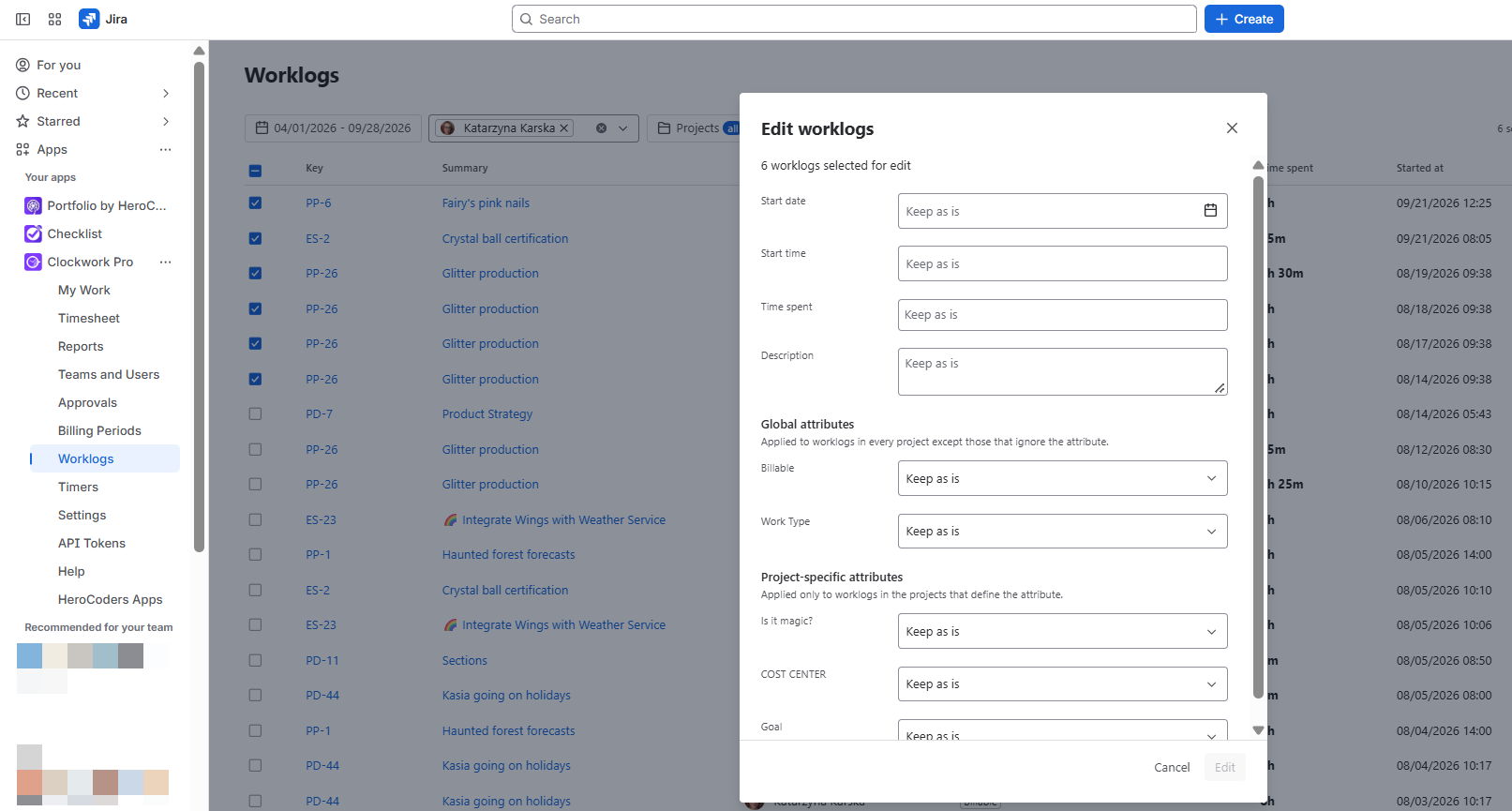
Clockwork Pro now gives you a dedicated global Worklogs view with bulk editing and deletion, making timesheet administration faster and more efficient. Filter worklogs by dates, projects, assignees, start time, logged time or worklog attributes, select the records you need, and apply changes in bulk.
Time administrators can now spend less time maintaining individual entries and more time keeping Jira data accurate.
Keep financial reporting accurate as rates change
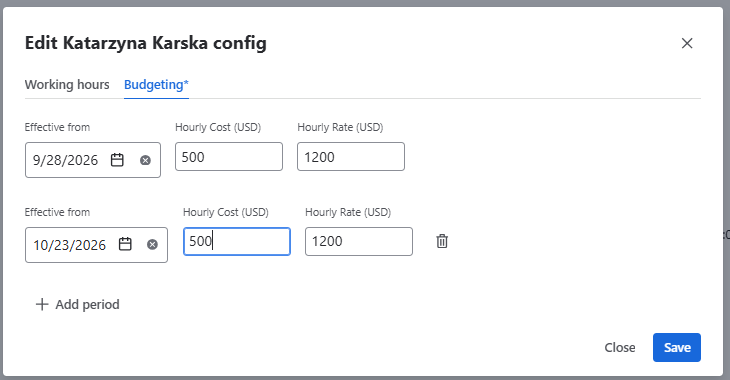
Clockwork Pro now lets you assign hourly costs and billing rates to individual users for specific time ranges. When a team member’s cost or the charge out rate changes, you can update it from the effective date and keep the previous values in place for historical work.
This means every timesheet reflects the correct financial data for the period worked, helping you protect margins, invoice with confidence, and report on project profitability without manual recalculations.
Approvals information now available in Worklogs exports
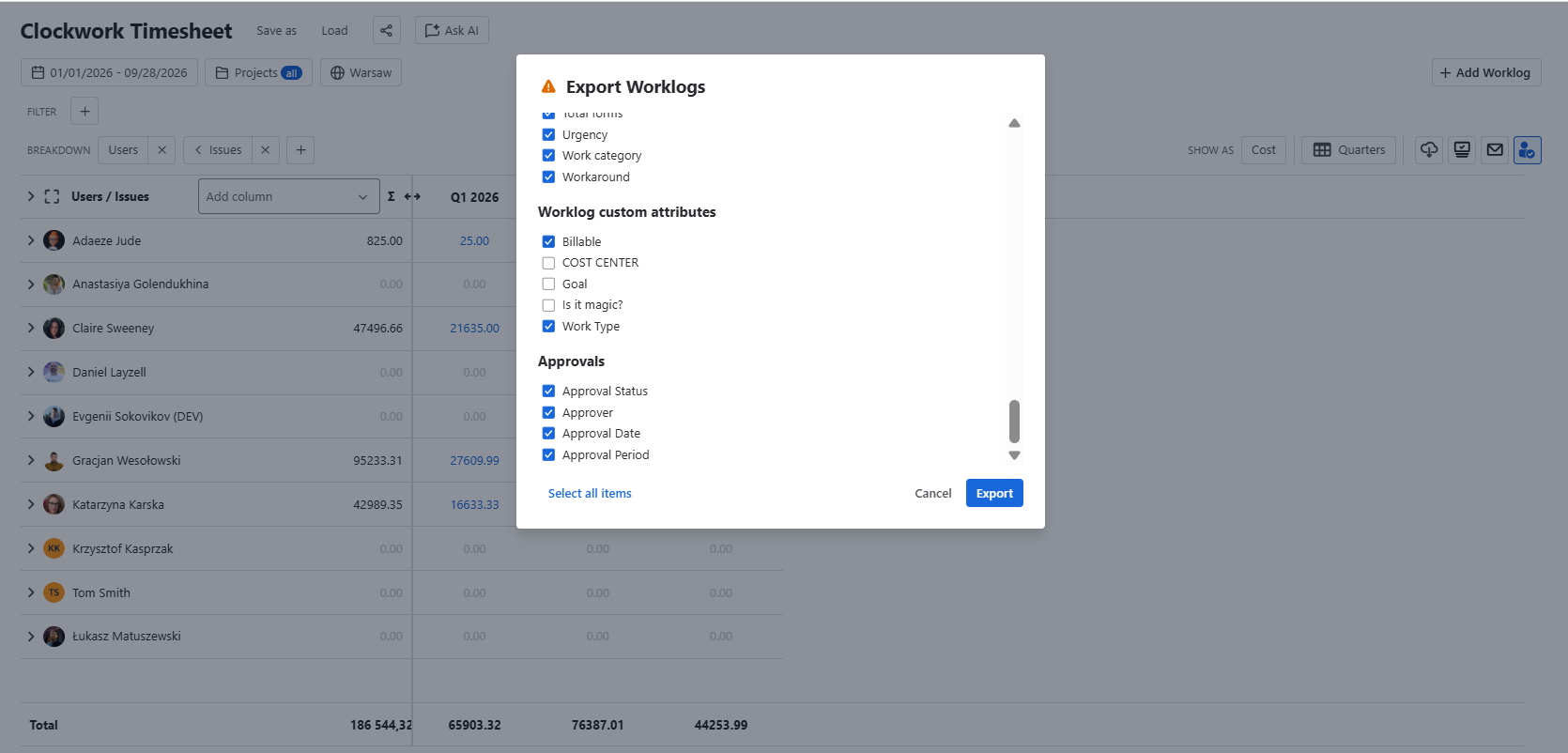
Exported worklogs now include approval statuses, approvers, approval dates and period, giving teams clearer visibility into whether time has been approved, rejected, or is still pending review. With approval information available directly in Worklogs exports.
Adjust worklog Start Times instantly from Quick Add
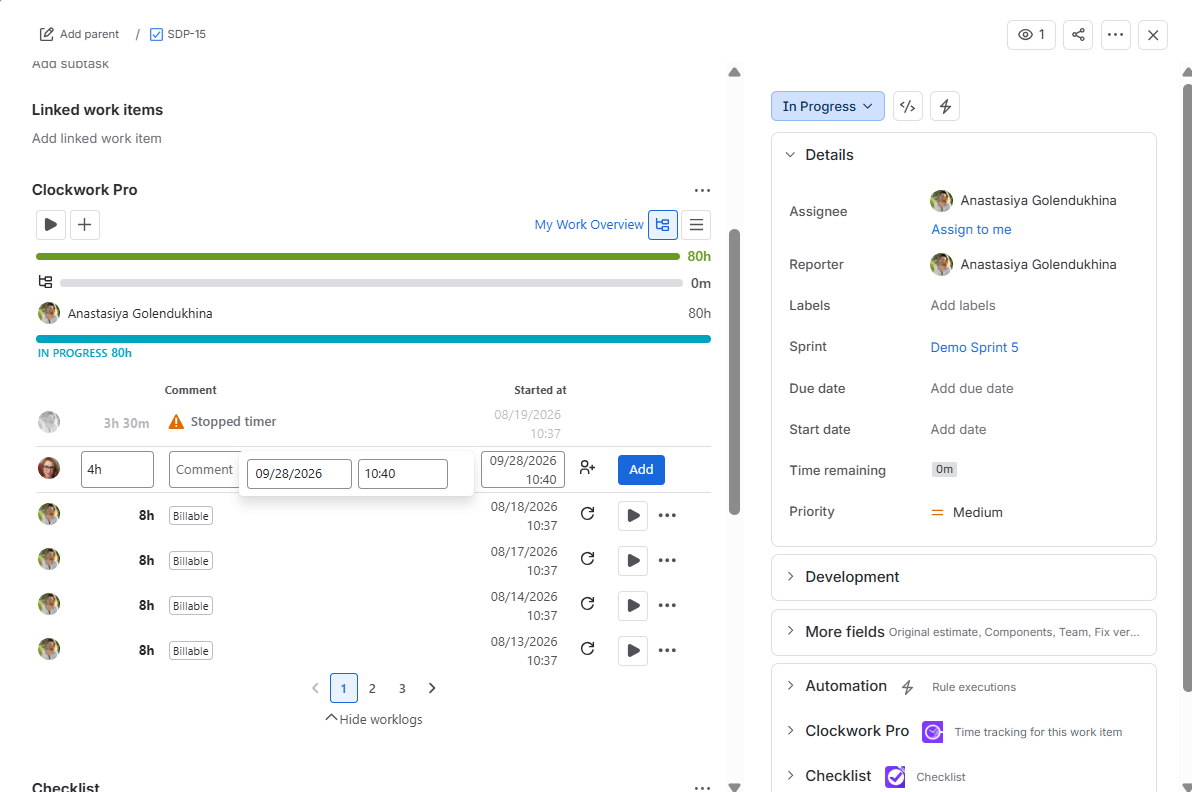
Clockwork now makes it easier to capture time accurately at the moment work is logged. When using Quick Add from the Work Item view, users can edit the Started at time inline, without opening additional screens or correcting the worklog later.
This small workflow improvement helps teams create more precise timesheets with less friction.
By setting the correct start time immediately, users reduce follow-up edits, managers get cleaner worklog data, and reporting becomes more reliable for billing, payroll, capacity planning, and project tracking.
Worklog time format that matches your Jira preferences
Logging work now feels more familiar and consistent: the Worklog dialog automatically follows the time format set in your Jira preferences, whether you use a 12-hour or 24-hour clock.