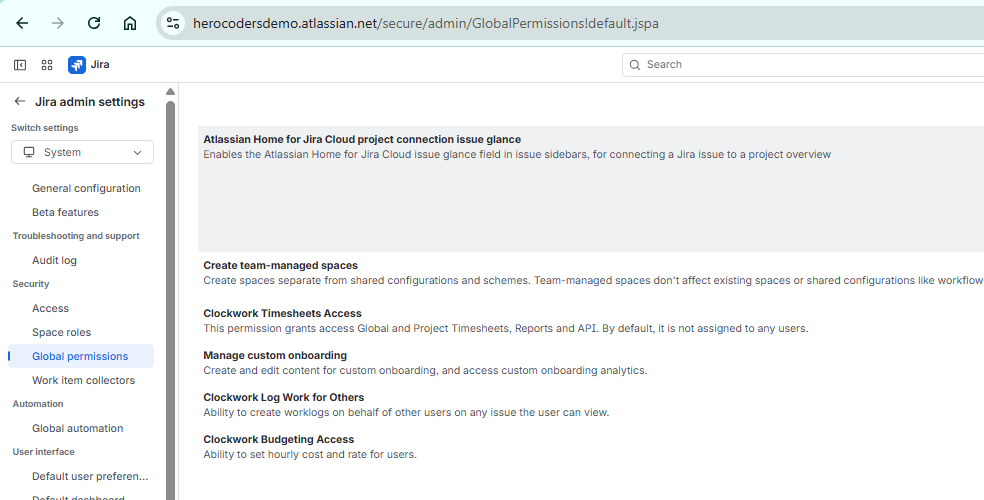
Expected Hours available now on Timesheets
Display expected hours directly on the Timesheet
You can now see expected working hours right on the Timesheet, matched to the selected time range (day, week, month). This makes it easier to compare logged vs. expected hours at a glance, spot under‑ or over‑utilization, and keep teams aligned with their workload.
You can switch the visibility of Expected Hours on or off.
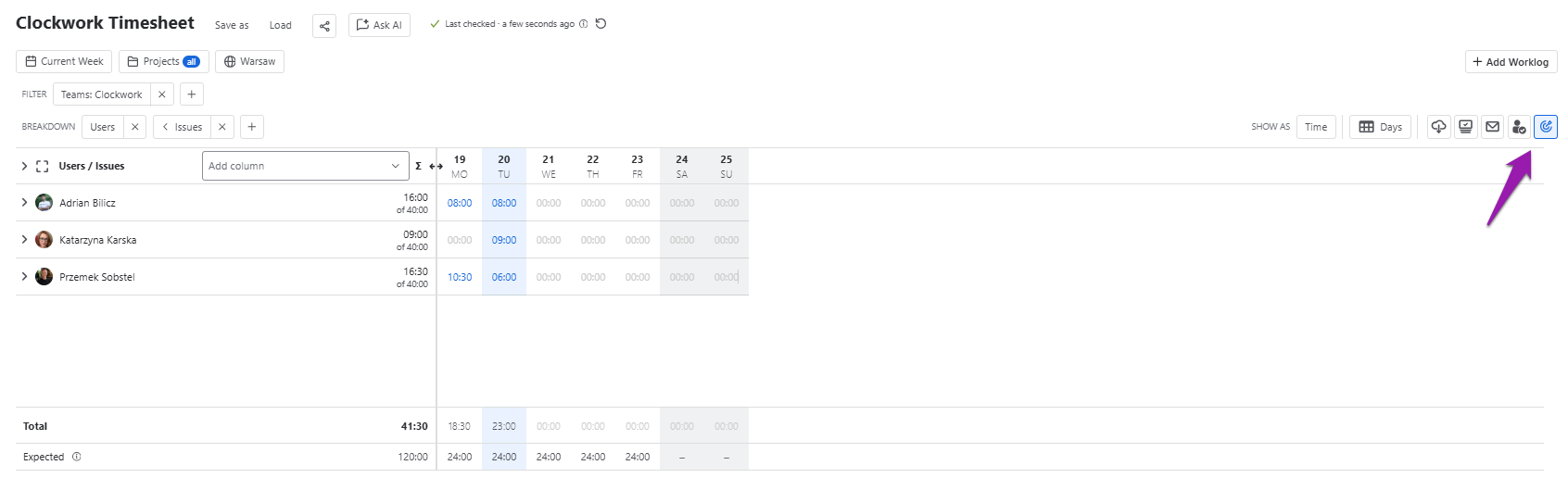
Quick Add/Edit in the Work Item view now also includes Worklog Attributes
Want to add or edit Worklog attributes in the work item? Just click on the ‘label’ icon in the description and update it in seconds!
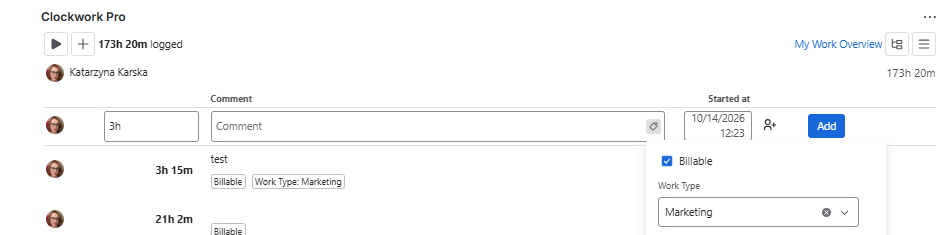
Clockwork shared settings with Portfolio by HeroCoders (Structure PPM for Jira & Capacity)
Already using Portfolio by HeroCoders (Structure PPM for Jira & Capacity) for project portfolio planning and capacity management and wanting to kick off with Clockwork? Now, Clockwork and Portfolio share users settings such as working hours and days and holiday calendars so you don't need to recreate them. Go to Settings in either app, open General Settings, find Clockwork or Portfolio integration, and enable it. User settings will then stay in sync across both apps.
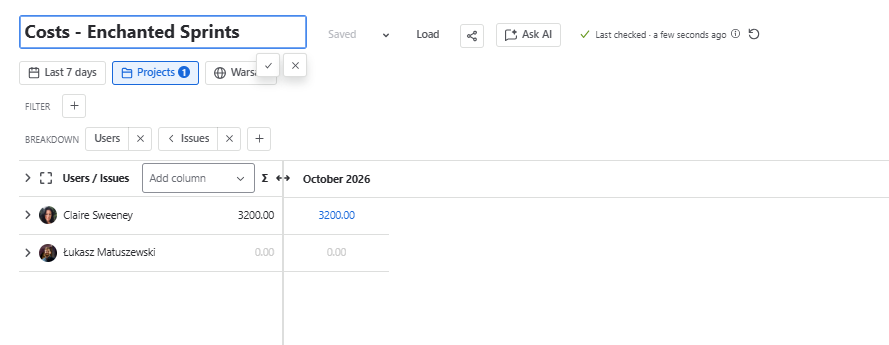
Reports names can now be edited
You don’t need to use Save as to save the report with a different name anymore. Now you can simply edit the reports name.
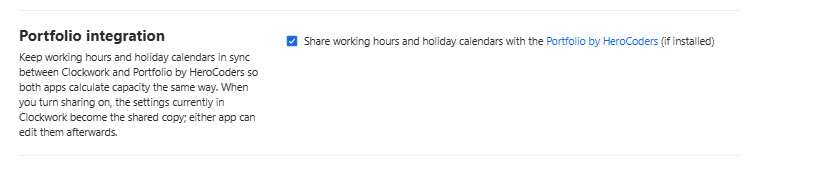
Log Work for Others permission can now be set globally, not only per project
You can now define, at a global level for your Jira instance, who can log time on behalf of others. Previously this was possible only at the project level; now you can apply it across your whole environment.