
Get an at-a-glance view of your portfolio’s overall health so you can intervene early, not after dates slip. The new Portfolio Health view surfaces potential problems across your portfolio in a single place.
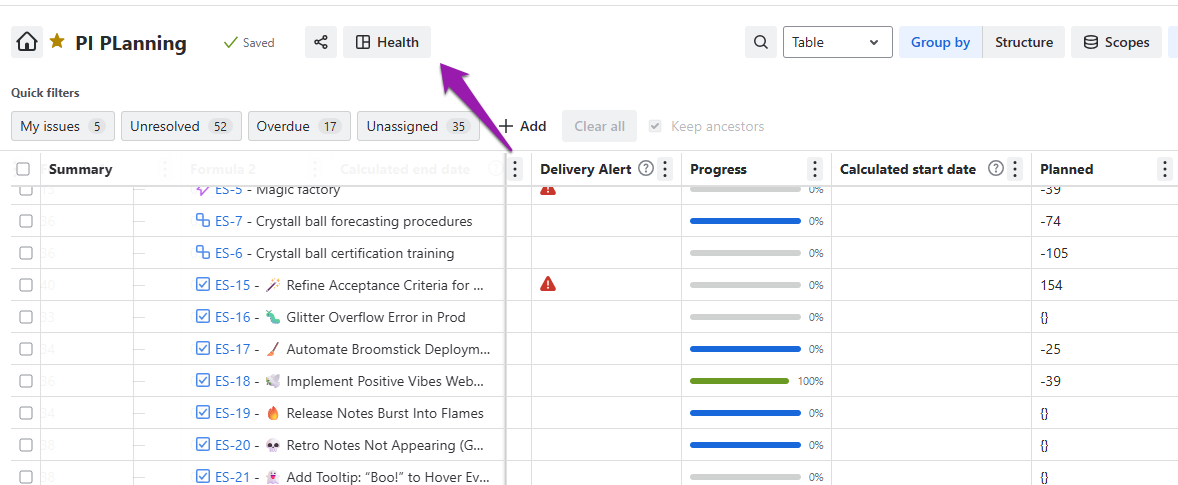
To see the Health of your project portfolio, just click on the Health button at the top of your portfolio view.
Portfolio Health view opens as a interactive sidebar. When you click on any of the tiles, for example the Highest Priority items, your Portfolio view on the left will filter to your selection so you see exactly what you need to focus on.
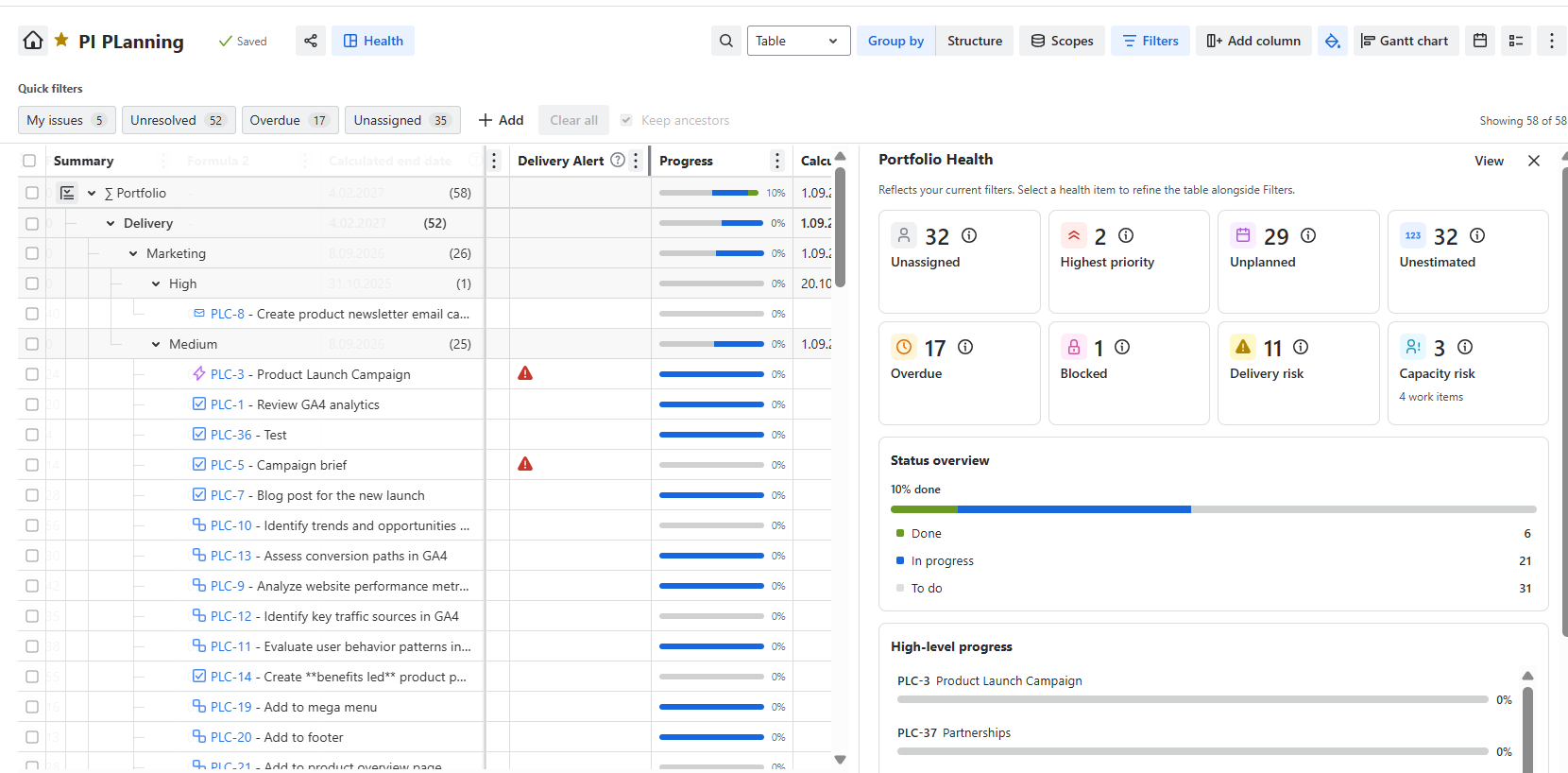
If you click on View in the top right corner of the side pane, the Portfolio Health will open in a modal.
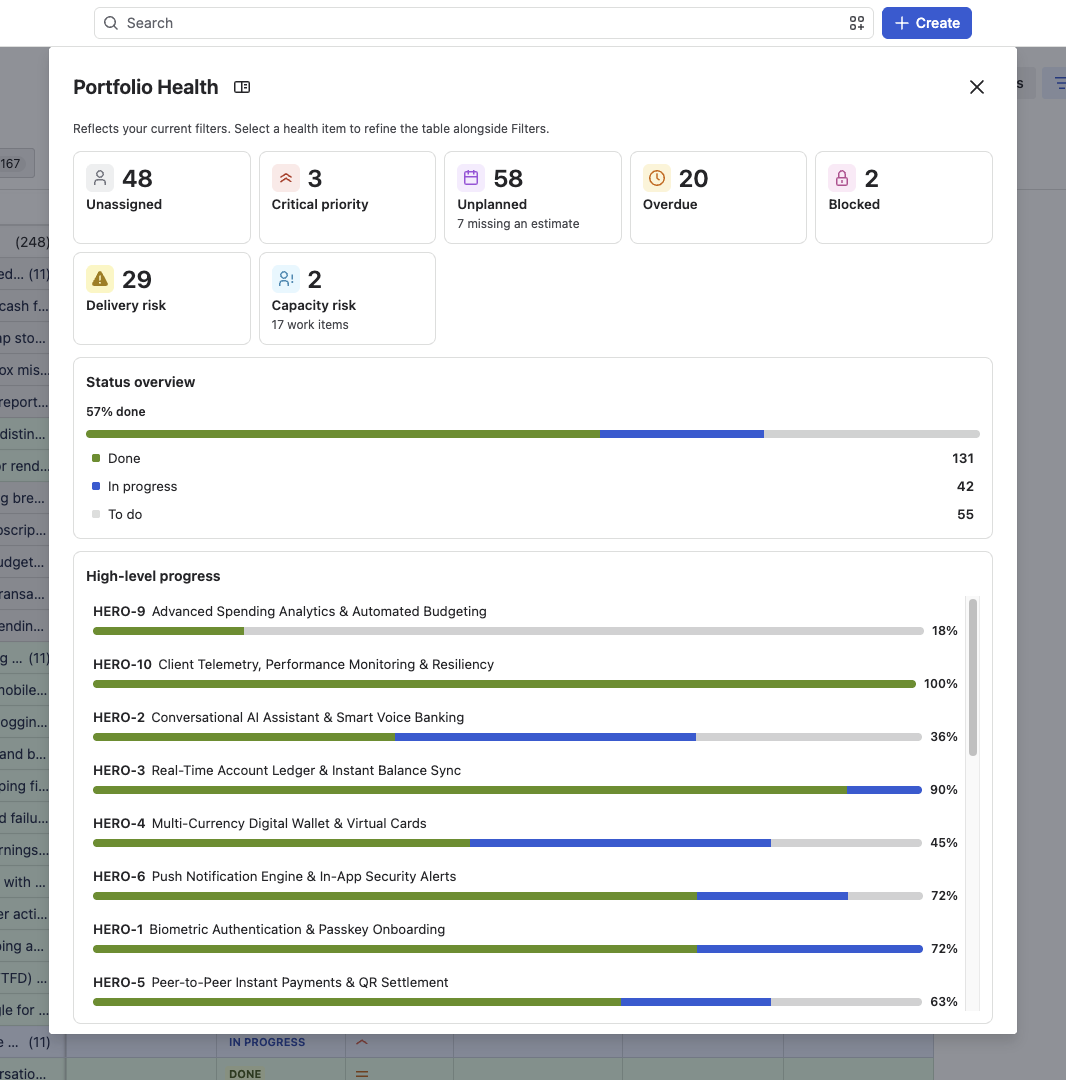
Portfolio Health lists out:
-
scheduling risks,
-
capacity issues,
-
unplanned work,
-
overdue work,
-
blockers
-
critical priorities
-
unestimated work
-
overall status of your portfolio
-
epics and higher levels work items progress
Click on any metrics to see exactly what’s in progress, what’s overdue or at risk. The portfolio view on the left will filter to your selection and you can focus exactly on what’s needs your focus.