If you’re using Structure by Tempo and would like to move your structure to Portfolio, now you can migrate them over. The migrator can copy over such attributes as structures with default views
Some of the items cannot be migrated from Structure. For example, structures created in Speed Mode or Formulas. See some more details below on what cannot be carried over to Portfolio or what can be migrated but works differently in Portfolio.
Scope
-
Manually built structures: manually added rows, folders and sections. The Structure API doesn't return them.
-
Filters on a specific level below the top, for example "only on level 2".
-
Filters, sorters and groupers based on a formula or attribute.
-
From a structure inserted into another one, only its inserters and filters are migrated, not its extenders or groupers. The inserted structure must also be in the same export.
Hierarchy and grouping
-
Group by linked work items.
-
Groupers below the top level. Only top-level groupers become portfolio groupings.
-
Grouping by fields a portfolio can't group by, such as number, date or single-line text fields.
-
Group, sort or filter set with Transform in a view. It isn't saved in the structure, so the export doesn't contain it.
Sorting
-
More than one sort, and sorts limited to specific levels.
-
Sorting by a field that isn't a column in the view.
Columns
-
Only the structure's default view is migrated, not its other views.
-
Structure's own fields (stored in Structure, not in Jira).
Migrated, but works differently
-
Grouping: children are grouped by their own value, not under their parent's group.
-
Link extenders: they become a Portfolio Structure. While that Structure is active, top-level groupings are off.
-
Progress with custom per-status percentages: it is calculated by status category instead.
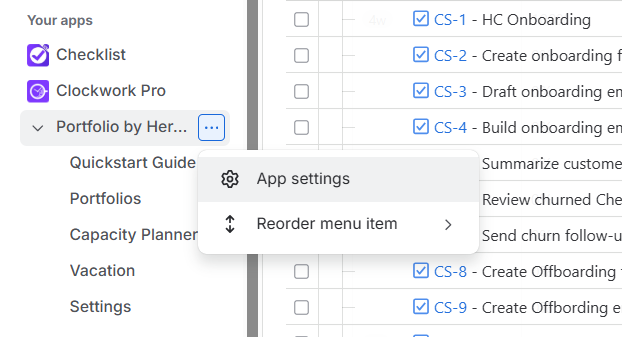
From the navigation menu on the left select Apps, and then click on the three dots next to Portfolio and select App Settings.
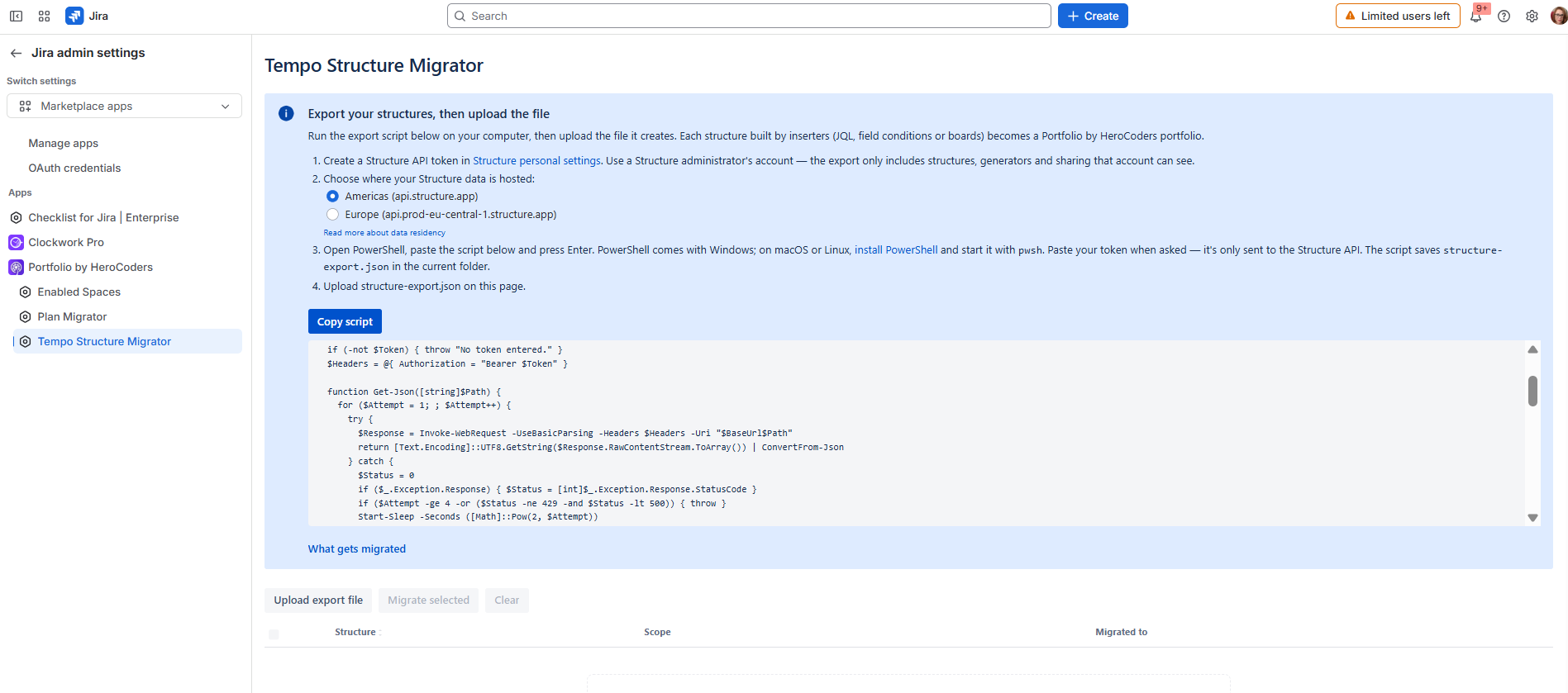
Select the Tempo Structure migrator from the menu on the left.
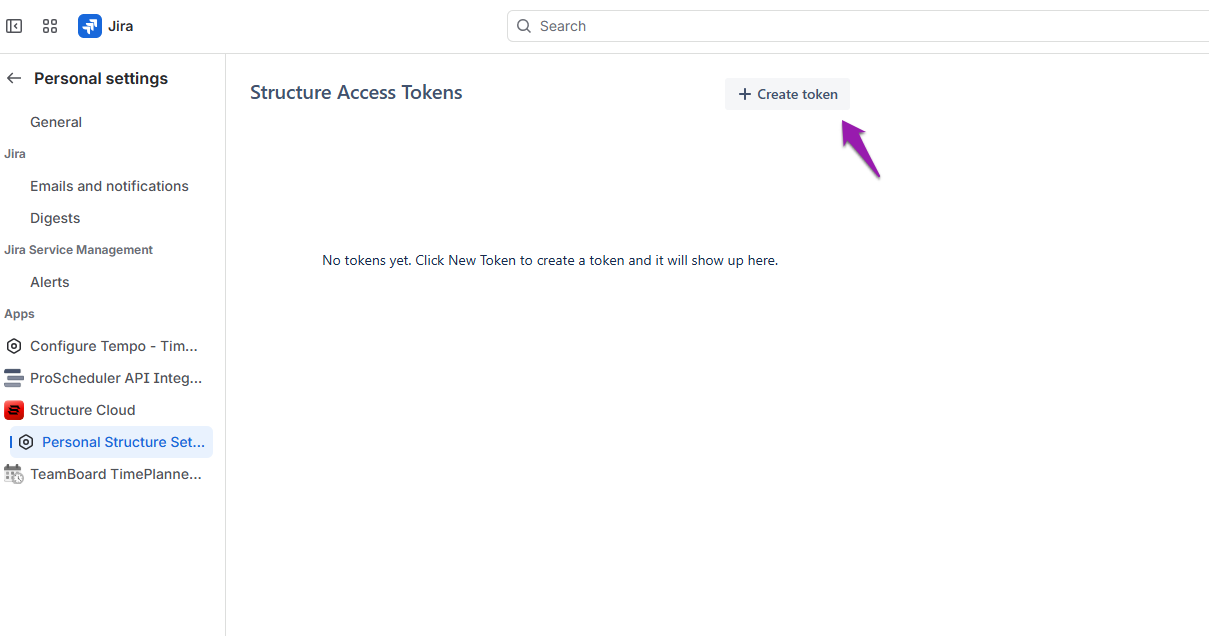
Create a Structure API in Structure personal settings. Use a Structure administrator's account - the export only includes structures, generators and sharing that account can see.
Choose where your Structure data is hosted (Americas or Europe)
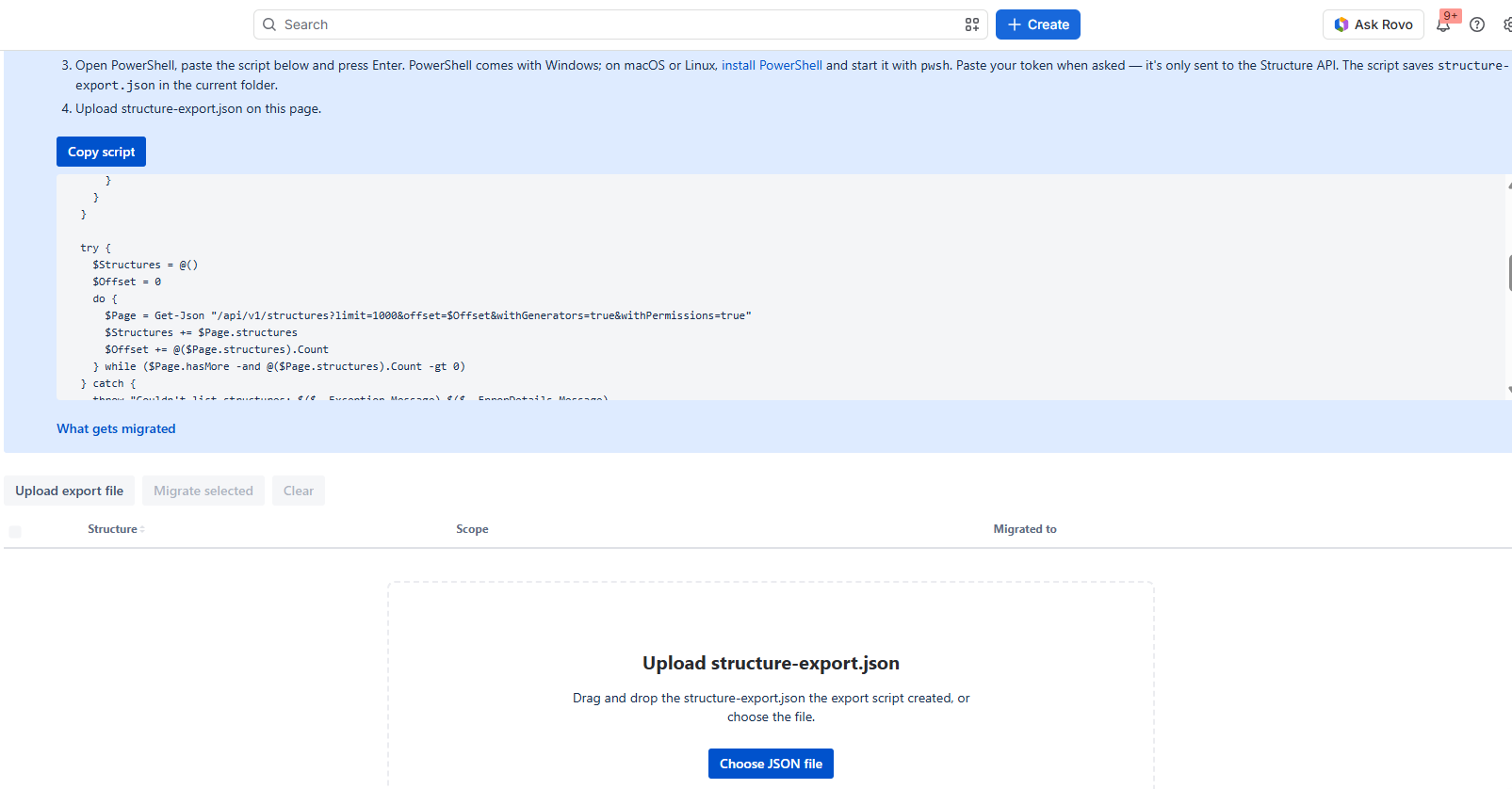
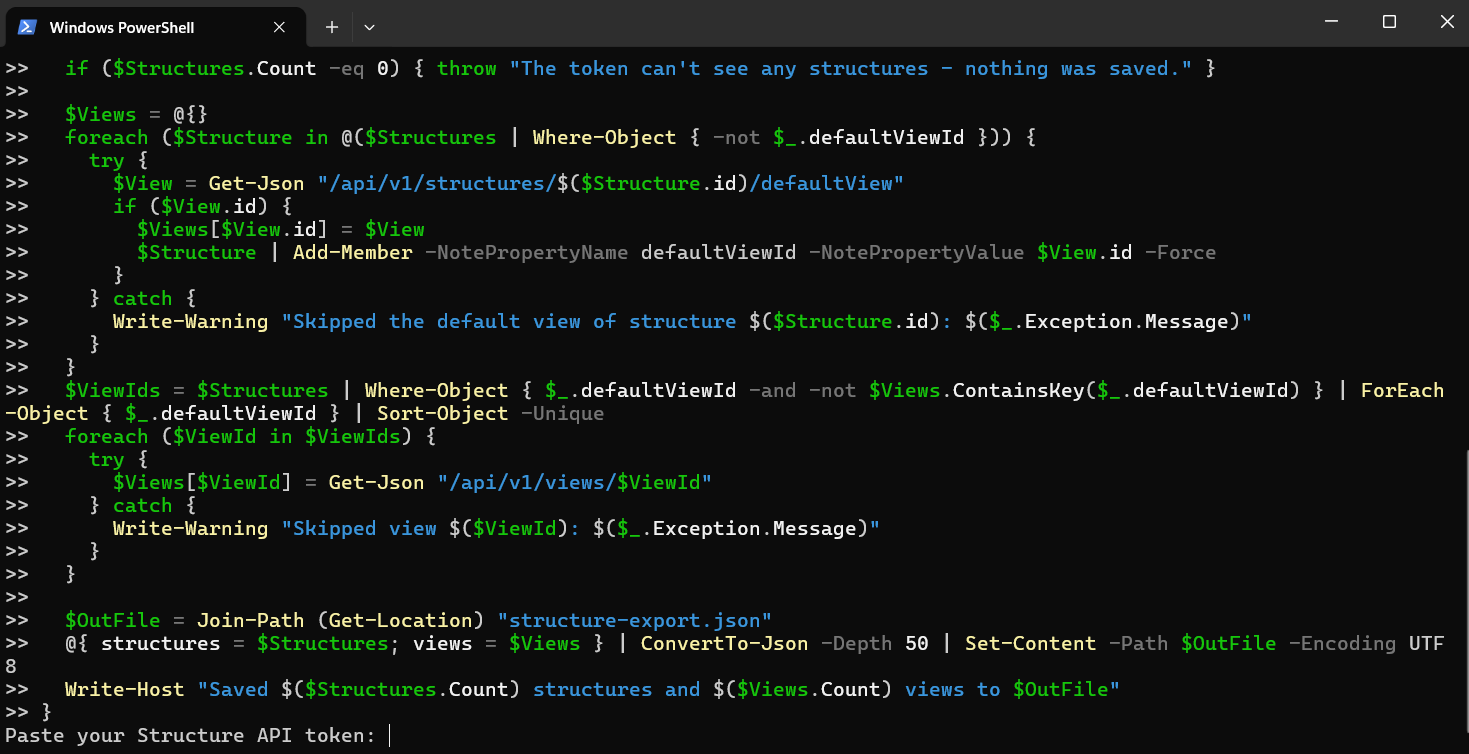
Open PowerShell, copy the script by clicking the Copy script button and paste the script and press Enter. PowerShell comes with Windows; on macOS or Linux, install PowerShell and start it with pwsh. Paste your token when asked, it's only sent to the Structure API. The script saves structure-export.json in the current folder.
Upload structure-export.json on this page by clicking Choose JSON file.