
Portfolio’s formulas are a powerful way to perform calculations and comparisons based on the data in Jira and Portfolio. If you have ever created formulas in Excel, some elements will look familiar to you.
Create a custom formula
-
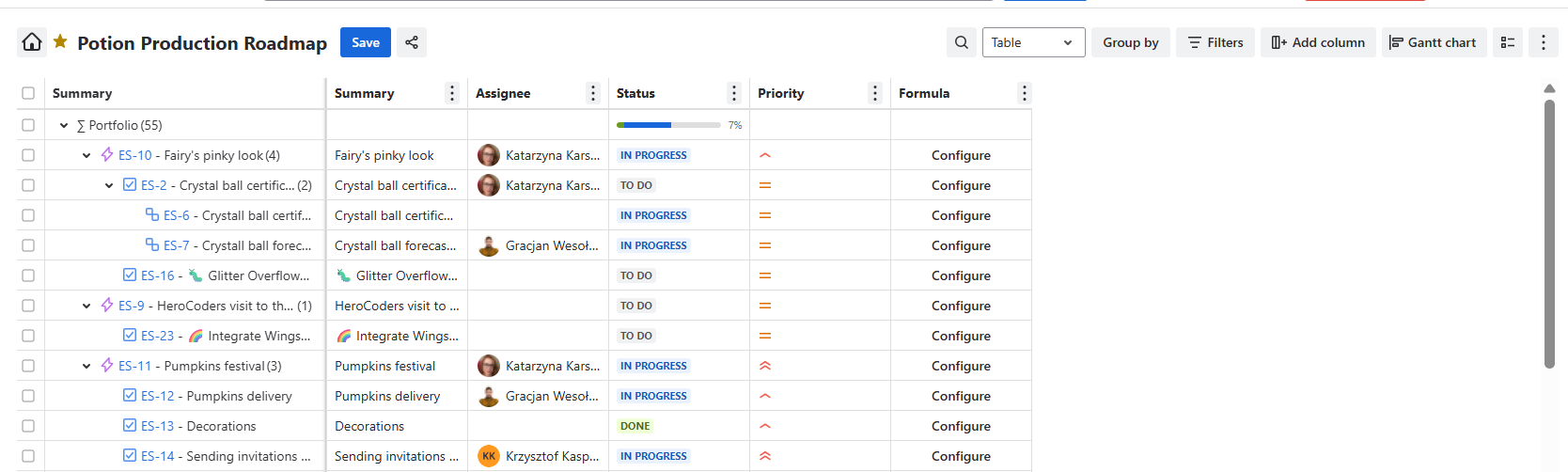
Click on Add column
-
Select the field Formula (Portfolio field)
-
Once the Formula field appears in your Portfolio as a separate column, click on Configure.
-
Provide a Column name for your Formula
-
Enter the Formula in the formula editor. You will find the list of available functions under the link in the right corner of the editor.
Sample Formulas
Compare the original estimate to work logged and the remaining estimate
(this.timespent + this.timeestimate) / this.timeoriginalestimate
Calculate days past due date
if past due date, calculate how many days late
DATEDIF(this.duedate, TODAY(), "D") if due date in future shows how many days left (negative number)
DATEDIF(this.duedate, TODAY(), "D") > 0 ? DATEDIF(this.duedate, TODAY(), "D") : "-" - if due date in future shows “-“
Planned Profit
Planned Revenue - Planned Cost
IF(AND(!this.plannedCost, !this.plannedRevenue), CONCAT((this.plannedRevenue - this.plannedCost) / 100, "$"), "-")
Budget Spent
Planned Cost - Actual Cost
this.plannedCost - this.clockwork_cost
Actual Profit
this.clockwork_rate - this.clockwork_cost
Aggregation formulas
children — only the current row’s direct child rows
SUM#children { this.storyPoints }
subtree — the current row plus all descendants under it
MAX#subtree { this.storyPoints }
leaves — only the deepest rows under this node (or the row itself if it has no children)
AVERAGE#leaves { this.storyPoints }