Ask Portfolio anything - meet the Portfolio Insights Rovo agent
Get answers without even opening the app. Ask from anywhere in Jira. The new Portfolio agent lives in Rovo and responds in plain language, so the status you need is one question away:
-
list me all unhealthy issues from project X?
-
show me the capacity planner for work item X?
-
how to resolve the capacity alert for work item X?
-
is person X overbooked this week?
-
how many days available has this person next week?
Less clicking, faster answers, and a portfolio that talks back.
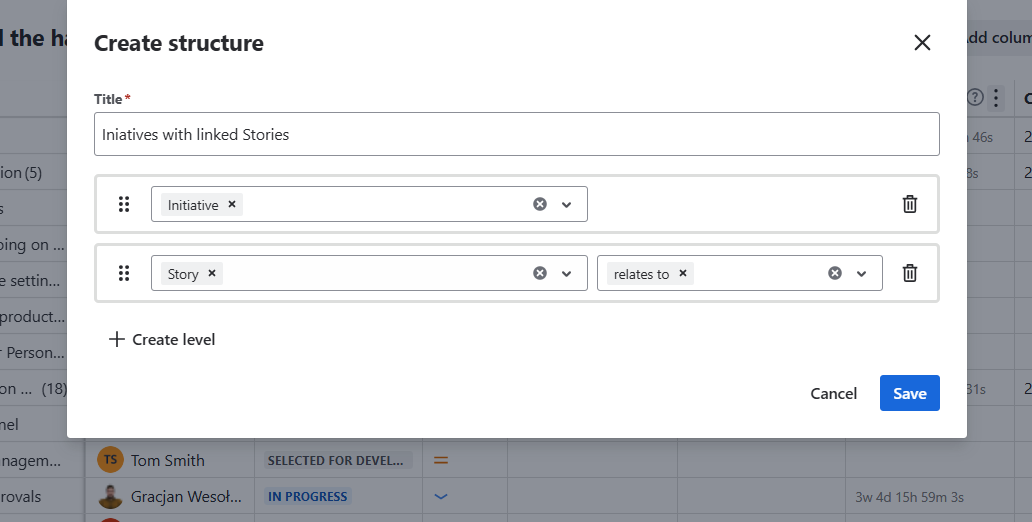
Build the hierarchy that fits your work - Custom Portfolio Structure
Your portfolio shouldn't be locked to a single hierarchy. Now you can shape the structure you actually want to see - and go beyond standard levels by building hierarchy from linked issues. The result is a Portfolio view that mirrors how your work really connects. If you prefer to use Jira advanced hierarchies, that’s possible in Portfolio too.
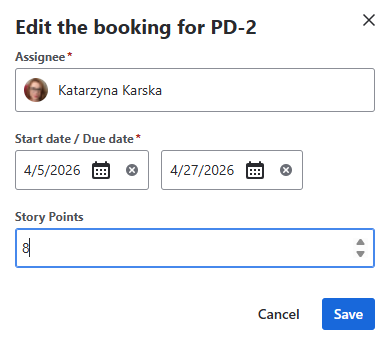
Plan in Story Points, not just time - Capacity planning in Story Points 🎉
Capacity planning now speaks your team's language. Plan by Time or Story Point estimates, whichever fits your workflow. Planning in Story Points surfaces team velocity and drives more accurate delivery forecasts - so your plan reflects how your team actually estimates and ships.
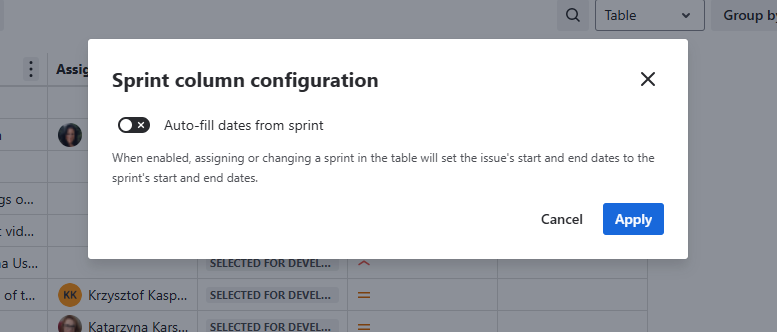
Let sprints set your dates - Agile dates scheduling
Add the Sprint column to your Portfolio Table view and let it auto-fill dates from Sprint assignments. No more manual date juggling - your schedule updates with your sprint plan, keeping everyone aligned from one source of truth.
See progress at a glance - Instant Project Insights
Project-level summaries now appear right in the Graph view, giving you a real-time snapshot of progress without digging into the details. Open the view, read the room, move on.
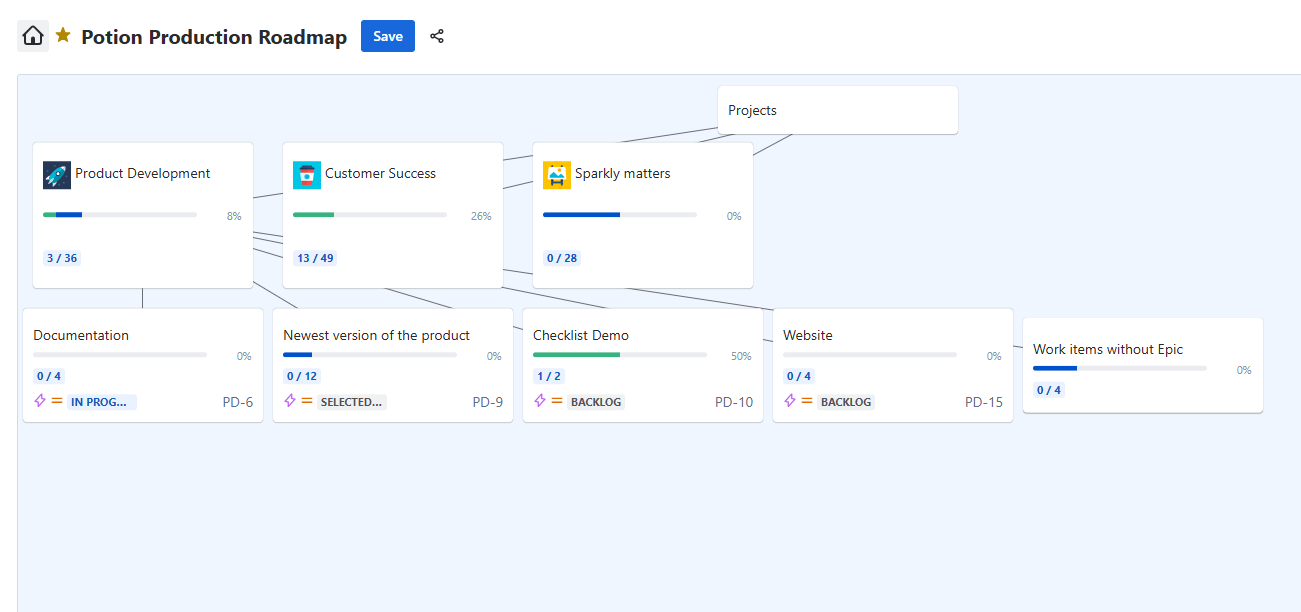
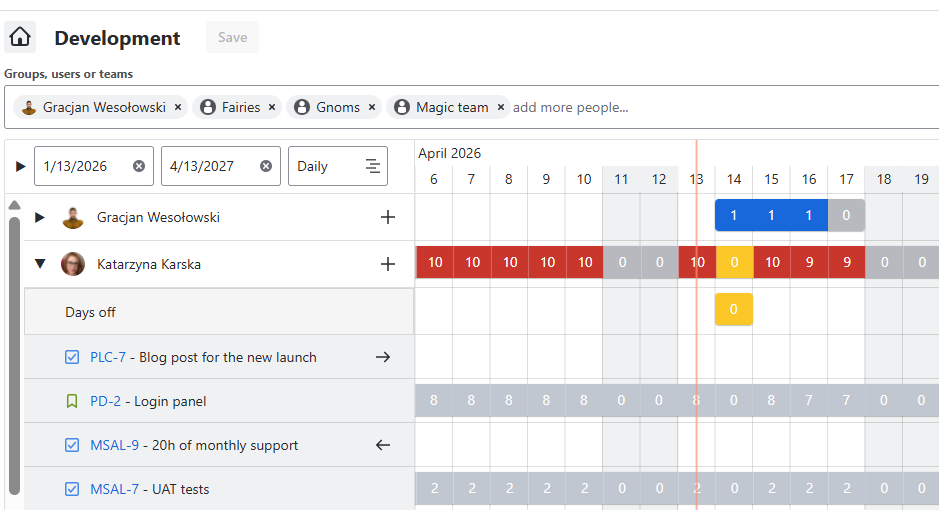
Account for time away - Days off in the Capacity Planner
Vacations, sick days, and public holidays now show as their own row in the Capacity Planner. Time off is visible exactly where you plan, so your capacity numbers reflect who's actually available.
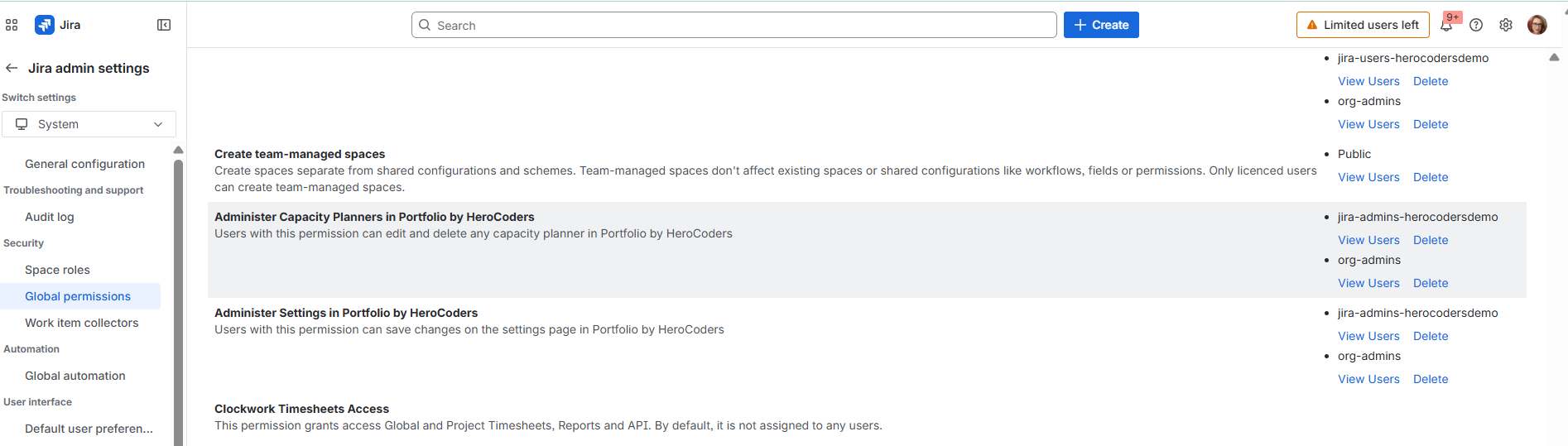
Control who sees what - More granular permissions
New permissions let you decide exactly who in your organization can access Capacity Planners and Portfolio settings - managed right alongside your Jira Global permissions. Tighter control, cleaner governance, no workarounds.