🧠 Find the right person for the work faster - new skills
in the Portfolio Insights Rovo agent
Portfolio Insights Rovo agent can now help you identify teammates by their skills and roles, making it easier to match work with the people best placed to take it on and their availability.
Ask questions like:
-
which developer with Java skills can take this task?
-
do we have a content manager available next week to take a 10h task?
-
who can take an extremely hard task next week?
and get more relevant answers that support faster planning, better workload conversations, and more confident assignments.
.png?cb=5ee4e64743ed510e4ebbcecbf12ec630)
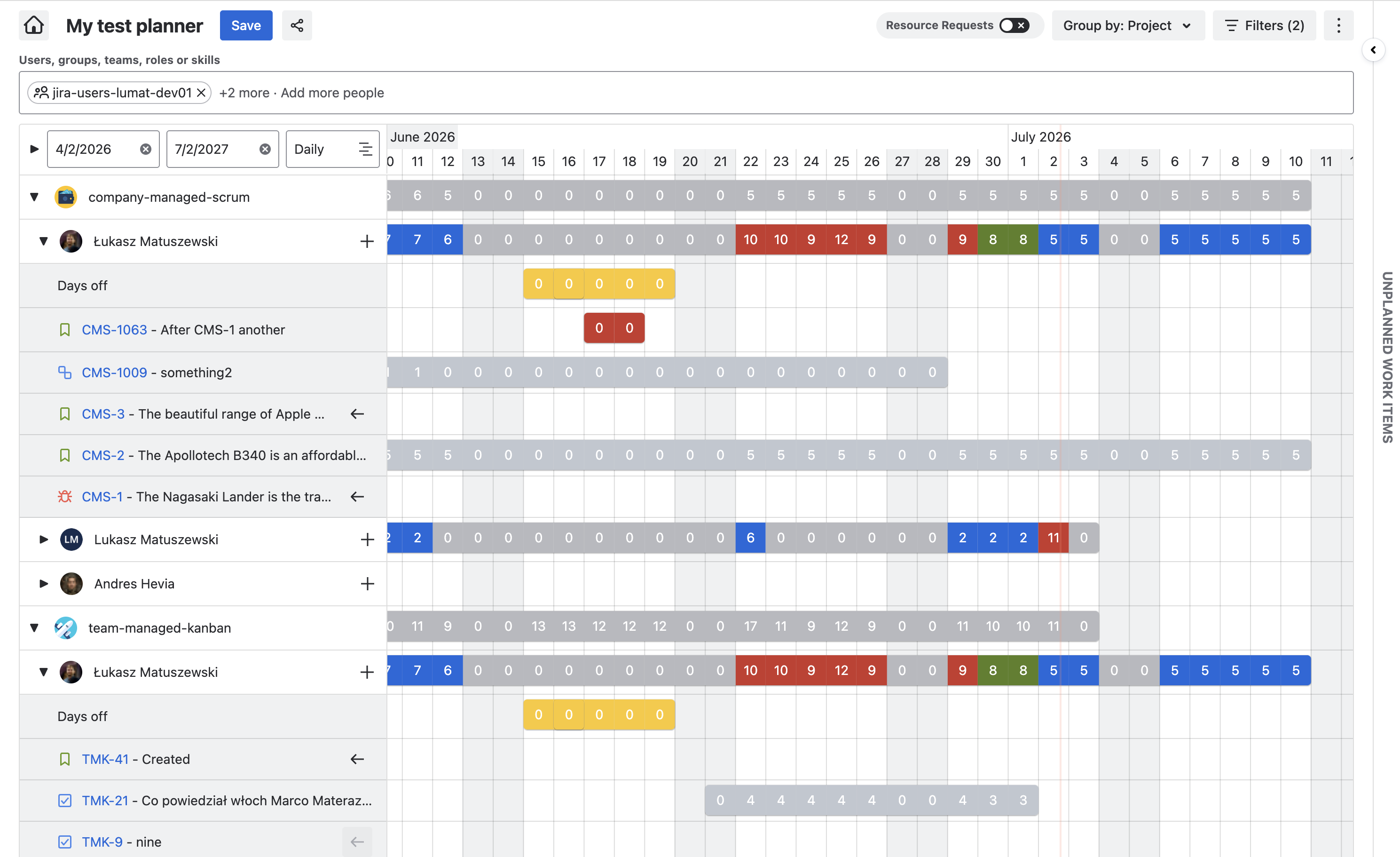
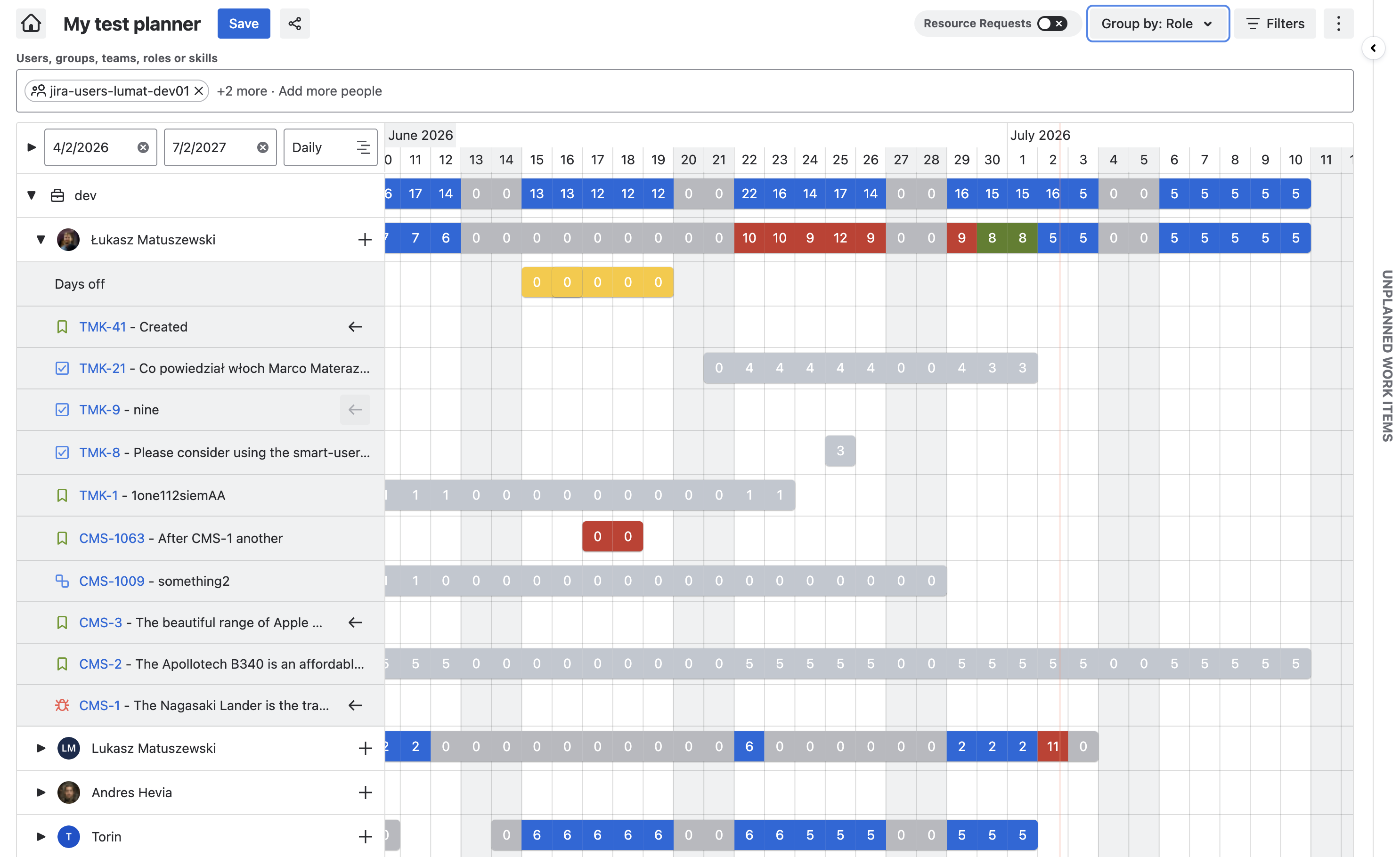
🗂️ Slice Resource Capacity by Team, Role, or Project
Capacity planning just got a power-up: group Resource Capacity by Team, Role, or Project to reveal bottlenecks, balance workloads, and make faster, smarter planning calls. Pick your view, spot the squeeze, and keep delivery moving with confidence.
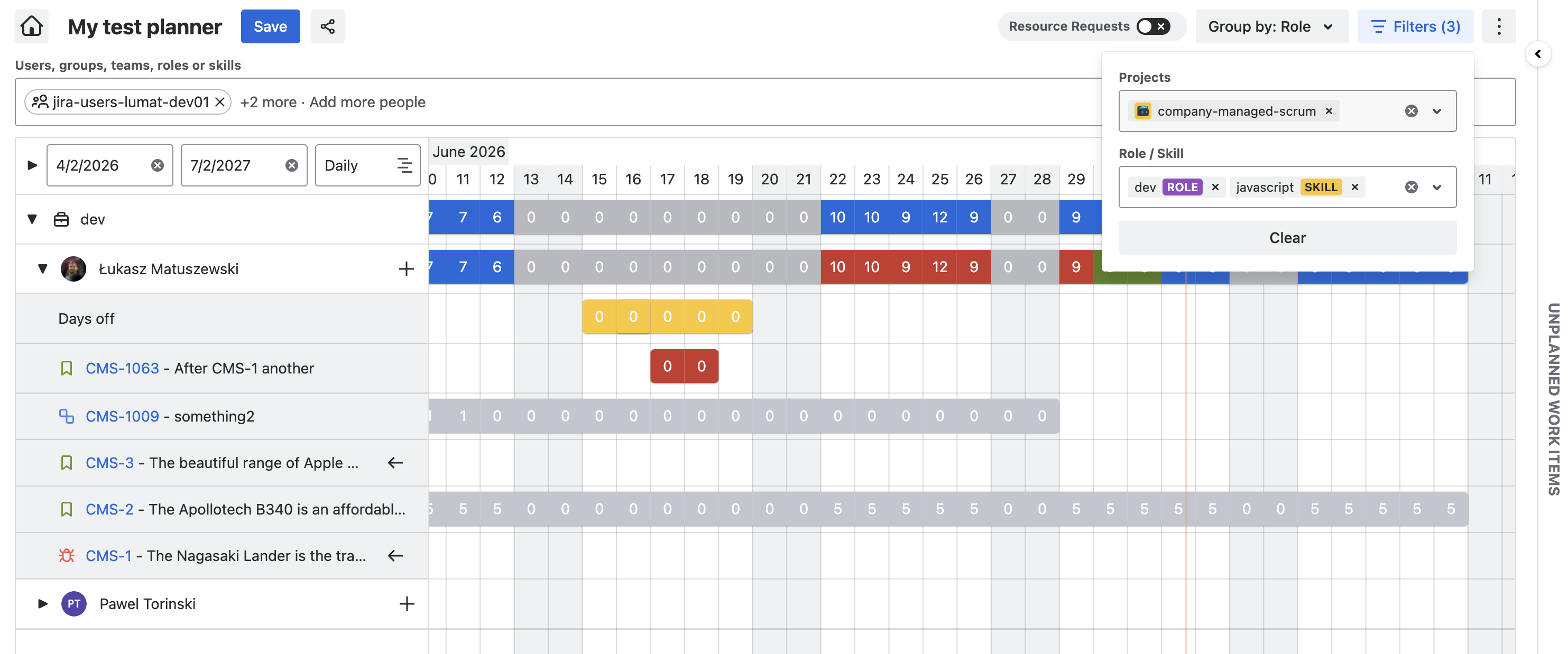
🔎 Filter for Projects and Roles in the Capacity Planner view
Cut through the noise and zoom in on the capacity that matters with new Project and Role filters. See exactly what you need. Bonus points - the users capacity will always display the real-time capacity across all of your Jira, even when you filter the bookings to show only work items from a specific space.
⬇️ Exportable Capacity Planner view
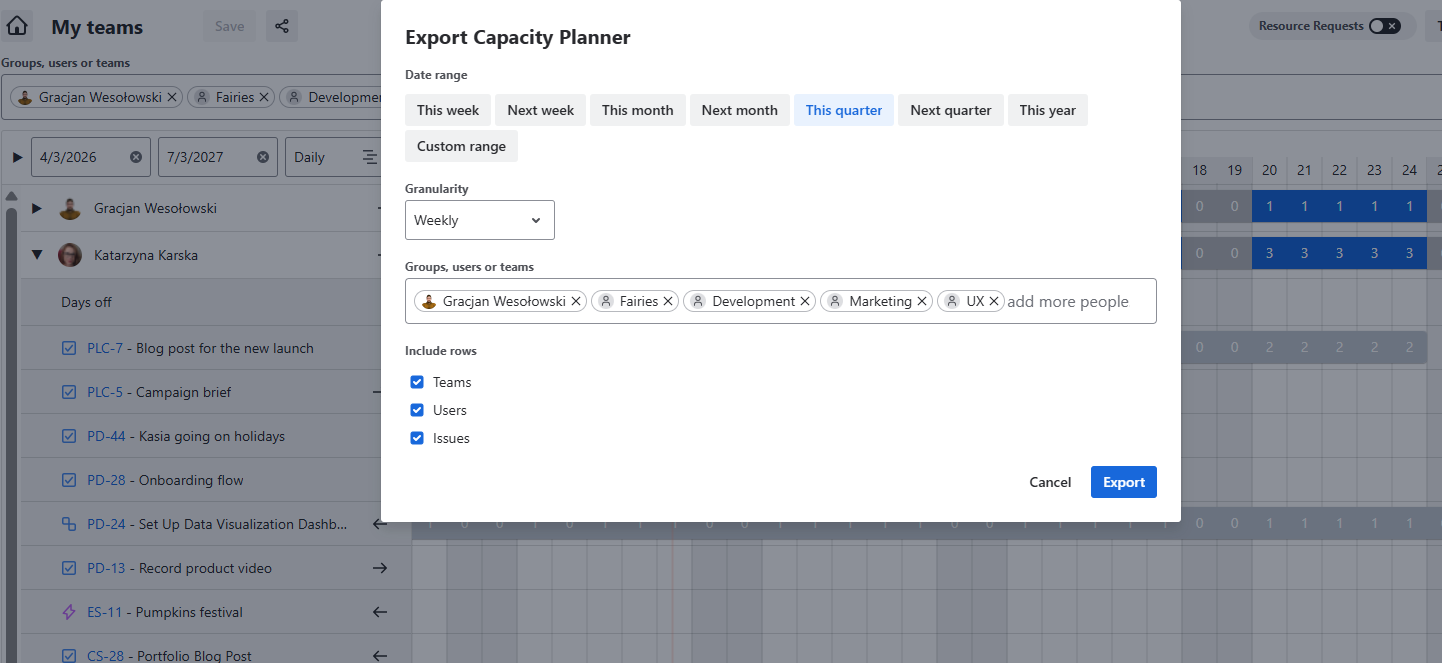
Capacity planning just became easier to share, explain, and act on. With the new exportable Capacity Planner view, you can select the exact time range and team members you need into a shareable URL or Excel report, giving stakeholders a clear view of team and individual capacity in seconds. They can review assigned work items alongside planned hours and booked capacity, helping everyone spot pressure points, align on priorities, and make confident planning decisions faster.
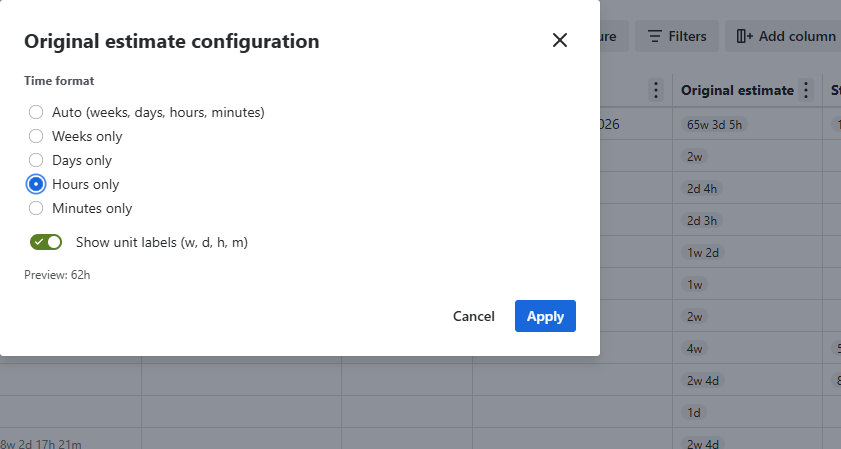
⚙️ Configurable Time Format for standard Time fields in the Table view
Make every time entry clearer at a glance with configurable time formats in the Table view. Choose the display that works best for your team, reduce confusion, and help everyone scan, compare, and act on time data faster. This configuration is available for standard Jira time fields like Original Estimate, Remaining Estimate and Time Spent.
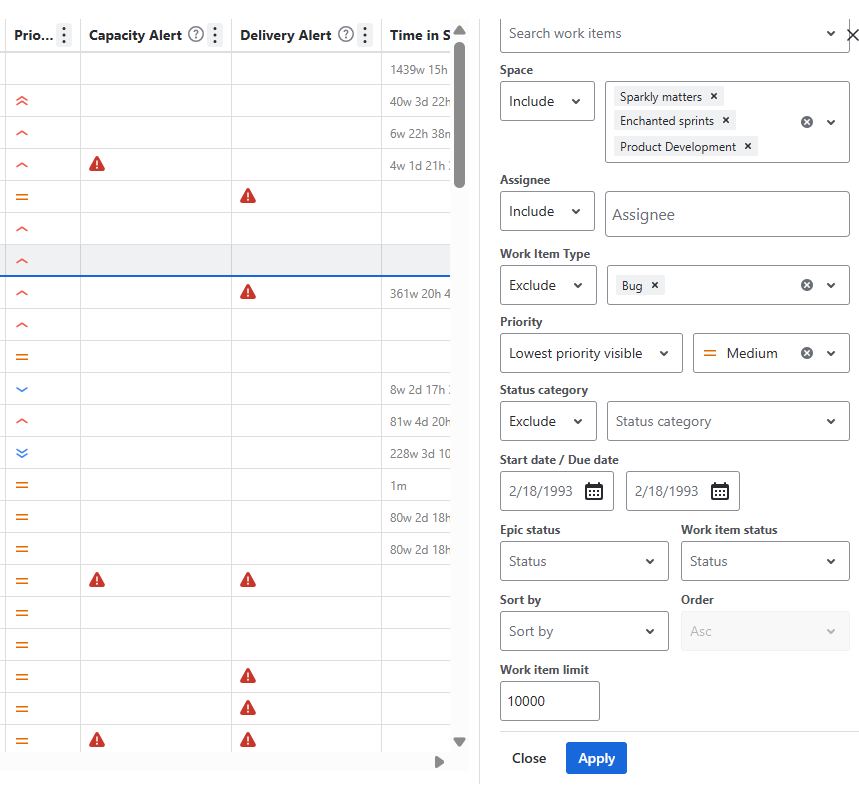
⏫ Filter your Portfolio by Priority
Select exactly which work items' priorities you want to see in your portfolio or the lowest priority and above to display.
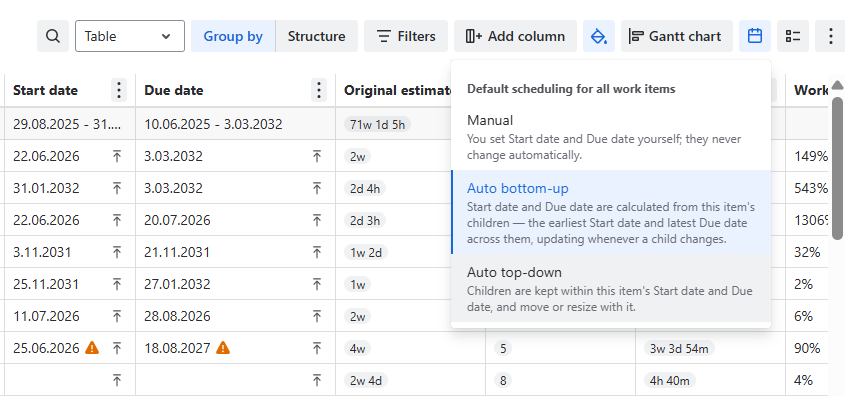
Auto bottom-up & top-down scheduling
Select how you want to schedule your tasks. You might want to do it manually or automatically by setting up dates by children dates or by parent’s dates. Select a default for your portfolio and then schedule the dates. Portfolio will follow your guidance.