
Advanced Filters & Quick Filters
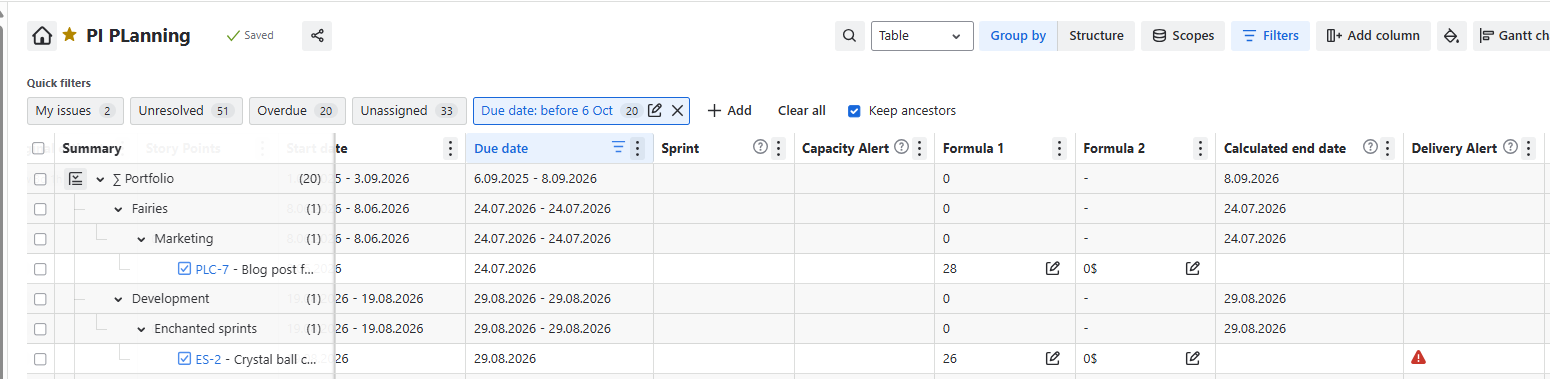
Advanced and Quick Filters now make it easier to focus on the information that matters. Field-based filters have moved into the main filter area, the former Filter button is now called Scope, and you can apply multiple filters at once, then switch them on or off whenever you need. This gives you clearer control over your table view and helps you find the right information faster.
Progress display
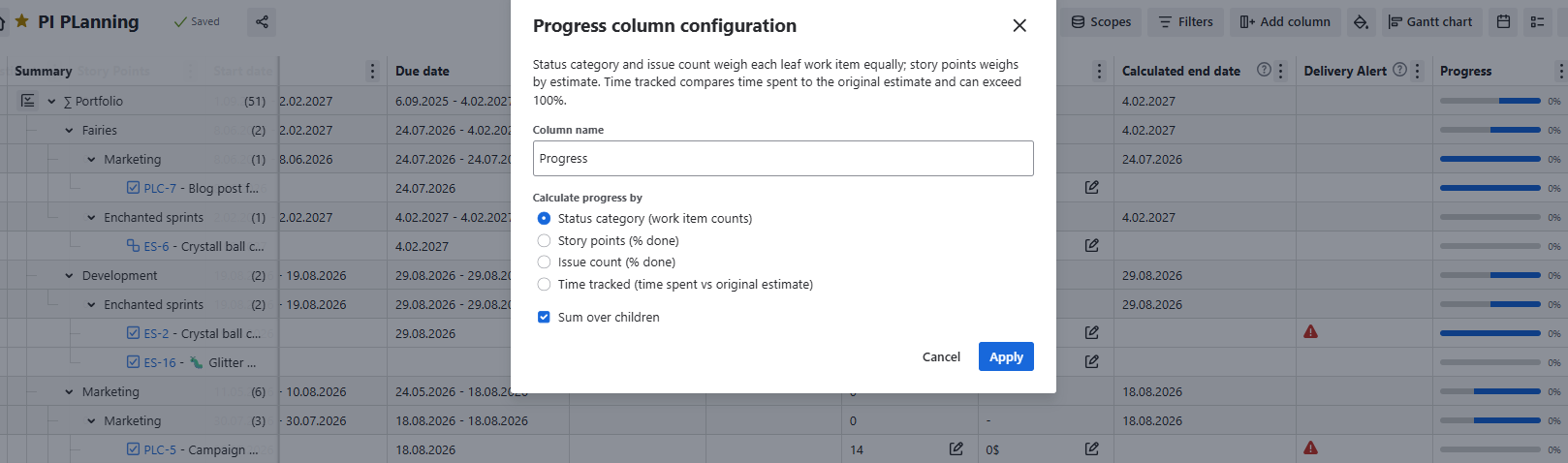
Progress display now gives you a clearer, more flexible view of how work is moving towards completion. Configure progress by status category to see category counts, story points to track delivery effort, issue count to show the percentage of completed items, or time tracked to compare time spent against the original estimate. This helps teams choose the progress measure that best fits their planning and reporting needs.
More advanced Groupings in the Portfolio view
Group your portfolio data by Space, Hierarchy, Team, Priority, or any Jira or custom field. Now, you have even more flexibility around it.
Custom structures are now visible only to the owner and the Jira admin
Custom structures are now private by default, so teams can build and refine views without adding clutter for everyone else. When you create a structure, it stays visible only to you and Jira admins. This gives you a cleaner workspace, keeps draft or experimental structures out of other people’s way, and makes it easier to focus on the structures that are truly relevant to your work.
Shared settings with Clockwork Pro
Already using Clockwork Pro for time tracking and wanting to kick off with Portfolio & Capacity Management? Now, Clockwork and Portfolio share users settings such as working hours and days and holiday calendars so you don't need to recreate them. Go to Settings in either app, open General Settings, find Clockwork or Portfolio integration, and enable it. User settings will then stay in sync across both apps.
Being able to rename a column/field in your Portfolio view
Rename any Jira, custom, or Portfolio field in your Portfolio view to match your naming convention.