More advanced scoping in Portfolio scopes
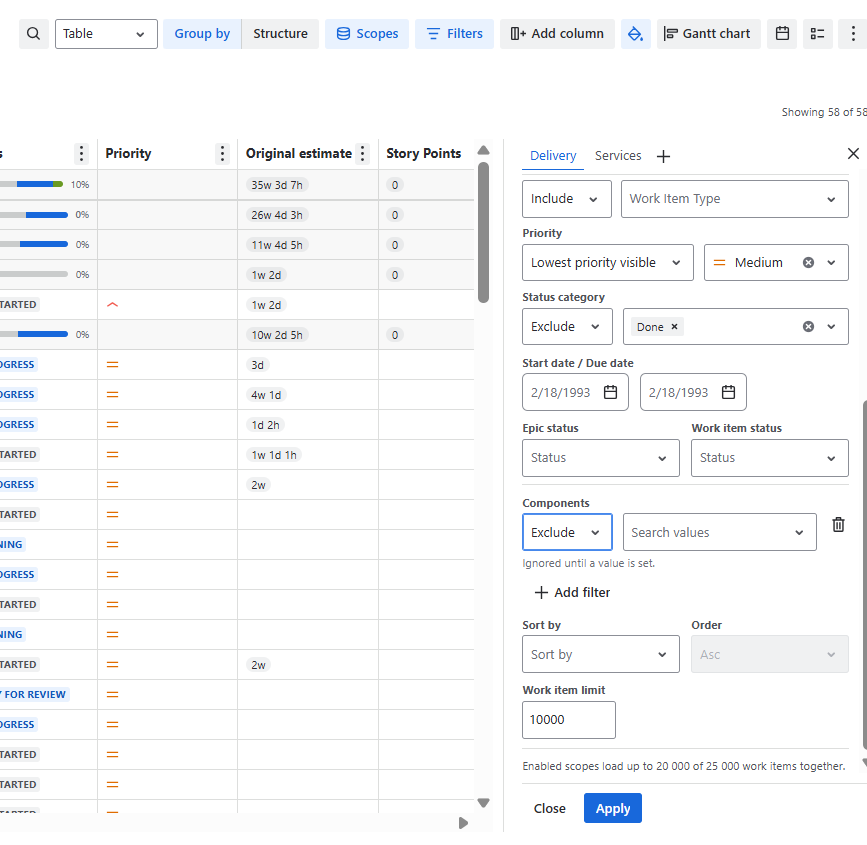
Now you can not only define the scopes using our predefined filters but also add additional conditions of what should be included using Jira and custom fields.
Tailor portfolio scopes with greater precision by combining predefined filters with Jira and custom field conditions, so teams can focus planning on the work that matters most.
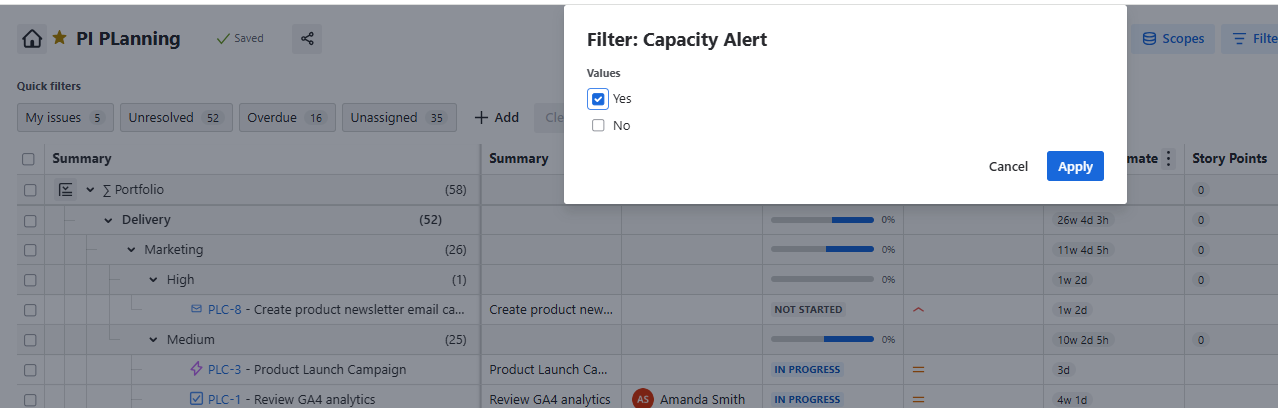
Our new Advanced filtering includes now also Portfolio own Insights and Formulas
Filter by Capacity & Delivery alerts, Time in Status, Calculated (Forecasted) Start and End Dates, your Custom Formulas, Planned & Actual Revenue and Cost.
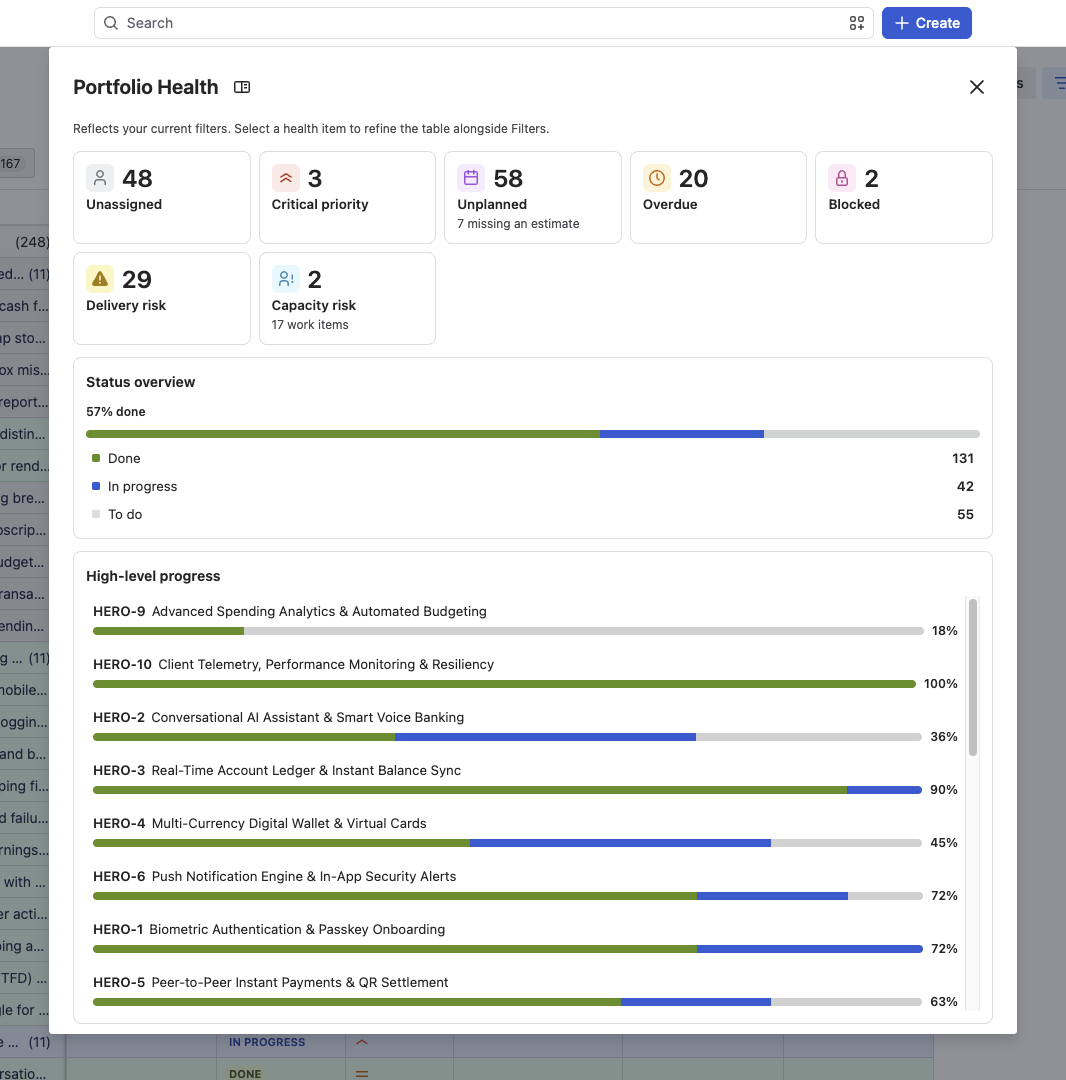
Portfolio Health Summary - spot problems before they become delays
Get an at-a-glance view of your portfolio’s overall health so you can intervene early, not after dates slip. The new Portfolio Health view surfaces potential problems across your portfolio in a single place. It lists out scheduling risks, capacity issues, unplanned work, overdue work, blockers and critical priorities. It’s interactive so when you click on the tile, the portfolio view will filter to the selected data set. Instead of hunting through individual plans, you immediately see which initiatives, epics or work items need attention, why, and where to focus or replan.
See which portfolios are drifting off track before they impact key delivery dates.
Focus attention where it matters – quickly identify what needs escalation instead of reviewing everything manually.
Have better status conversations – use a single, visual health view to align stakeholders on reality and next steps.
To see the Portfolio Health screen, just click the button at the top left of your Portfolio view.