This feature is only available in Clockwork Pro.
This feature requires Clockwork Timesheets Access permission in Global Permissions.
Approvals make it simple to add a clear sign-off step before logged time is final. In just a few quick settings, you can give managers a reliable way to review and approve time for client invoicing, payroll, or audit trails - without adding unnecessary admin. If you only need to lock past time without an explicit review step, see Billing Periods instead.
Switch on Timesheet Approvals in Clockwork Pro
-
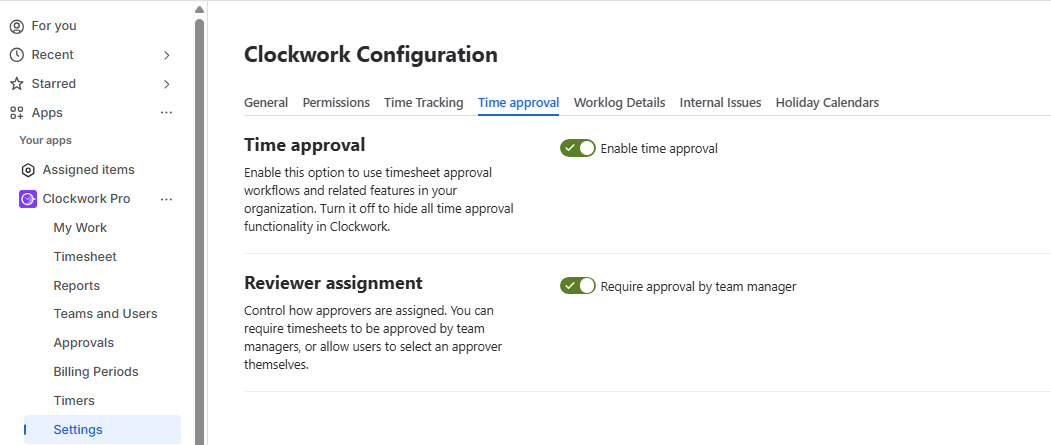
Navigate to Settings > Time Approval.
-
Switch on the Time Approval toggle.
-
Decide who should approve the timesheet: let the submitter choose or always assign the team manager.
Create Approval Periods
Approval periods define timeframes for logging and submitting work. They can be weekly, monthly or custom. Weekly and monthly approval periods can be created in bulk. Custom periods need to be generated manually.
To create weekly or monthly approval periods, click Create Period.
-
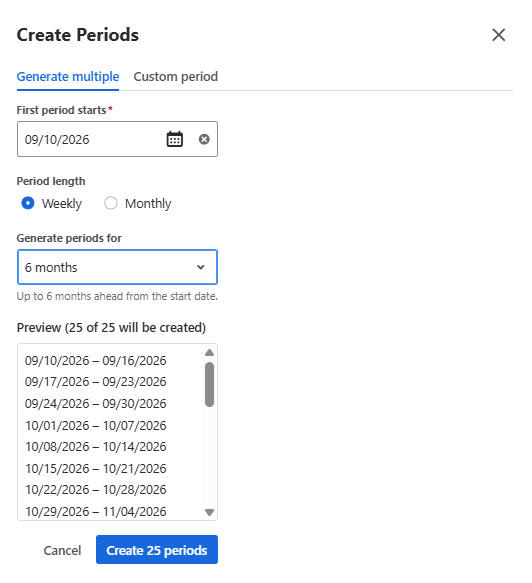
The Generate multiple tab opens by default.
-
Select the start date for the first approval period.
-
Select the Period Length: Weekly or Monthly.
-
Choose how far ahead to create periods.
-
Confirm by clicking Create
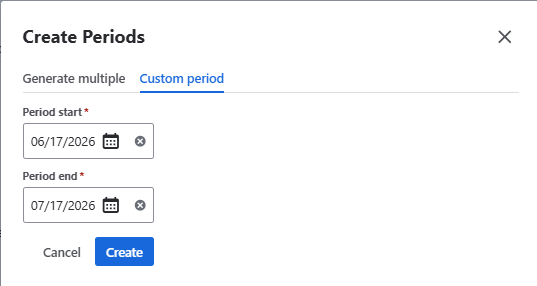
To create custom periods:
-
Click Create Period
-
Open the Custom period tab
-
Select the start and end dates
-
Click Create
-
Repeat those steps to create more periods.